Wazuh's Brute-Force Alerts
Running hydra against my own SSH login taught me that Wazuh doesn't have one brute-force rule, it has two, and which one fires depends on whether the username you're guessing actually exists.
I wanted my first real detection to be a commonly done attack. This attack would be brute-forcing. I already tested out Wazuh and got it to run alerts if there was a wrong password typed into the SSH login. All I needed now was to see whether it could detect the attacks itself as brute-forcing. What I didn’t expect to learn however, is that there’s multiple types of brute-forcing to Wazuh.
The attack
I installed hydra, a tool that throws passwords at a login as fast as it can, and pointed it at my own machine.
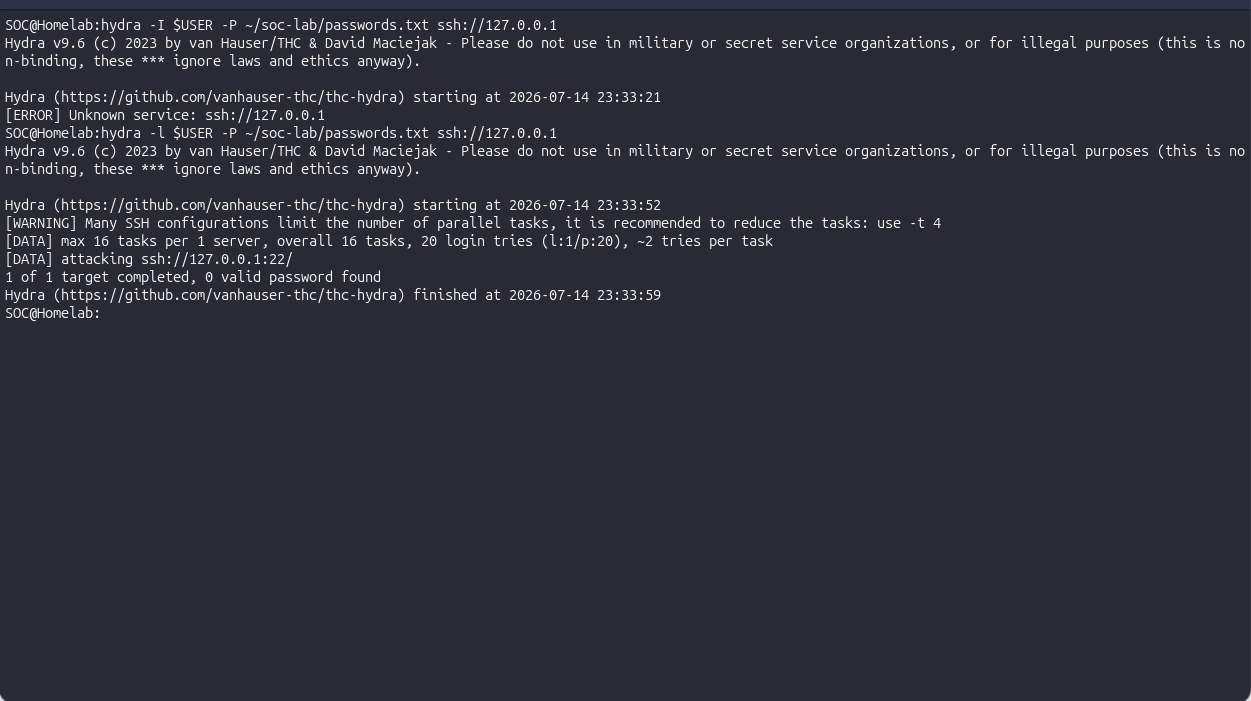
hydra -l $USER -P ~/soc-lab/passwords.txt ssh://127.0.0.1My first attempt at this was an error, I had typed -I instead of -l, and hydra just returned an error and quit.
Small thing, but it’s the kind of typo that makes you doubt the whole setup for a second before you notice one character is wrong.
After correcting what I did, it started working, I had 20 failed logins in a few seconds. This would obviously be a sign of a brute force attack to Wazuh.
What fired
Wazuh caught it as rule 5763, “sshd: brute force trying to get access to the system.” Level 10, mapped to MITRE T1110, Brute Force.
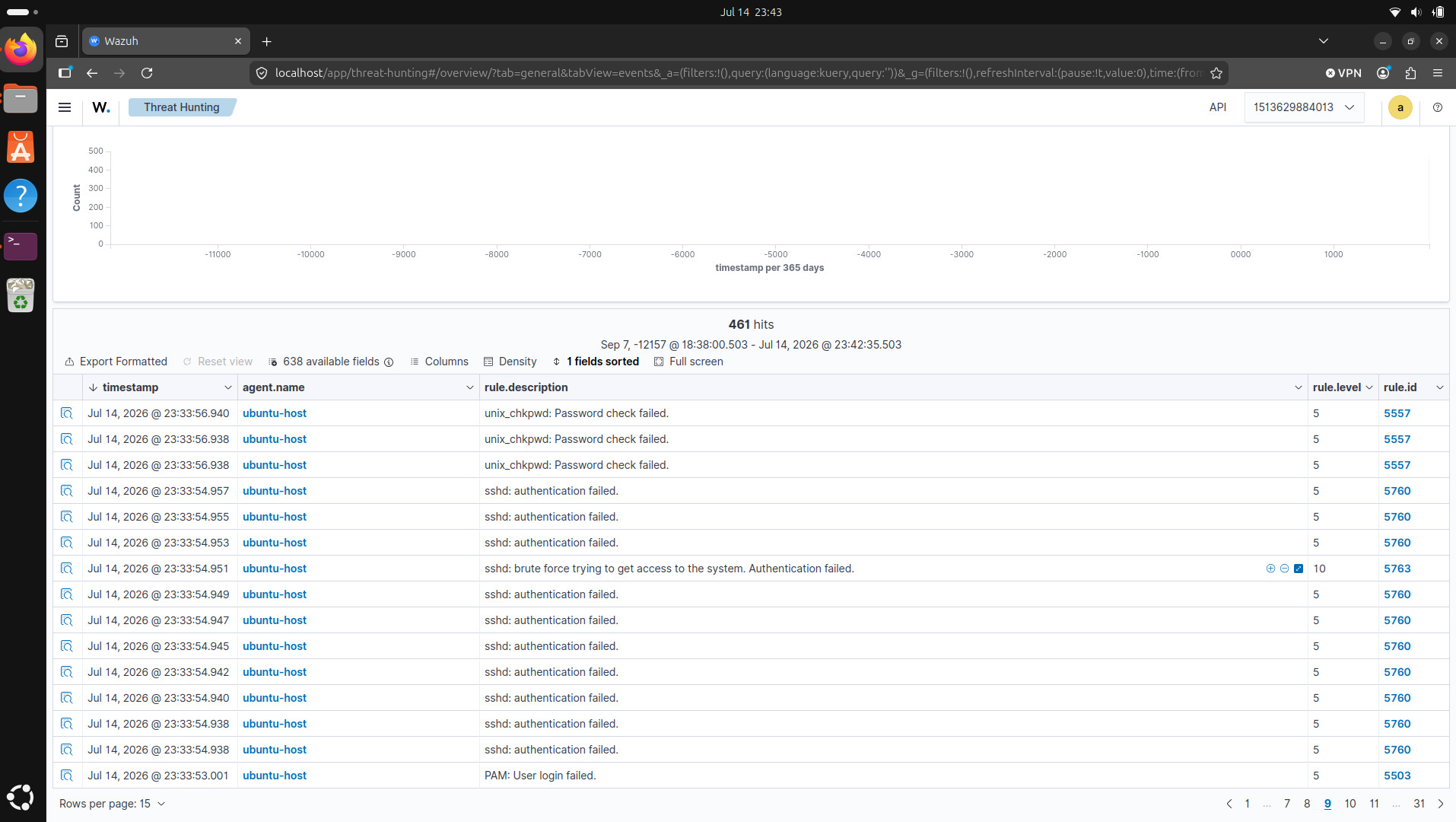
But I’d read that the SSH brute-force rule was 5712, and I wasn’t getting 5712. I got 5763. For a minute I thought I’d done something wrong.
The part I got wrong
I hadn’t done anything wrong. I just hadn’t done enough research and overlooked:
There wasn’t only one brute-force rule but different kinds depending on the situation. Hammer a username that doesn’t exist on the box and you end up at 5712. Hammer a real username with wrong passwords and you end up at 5763, by way of 5760.
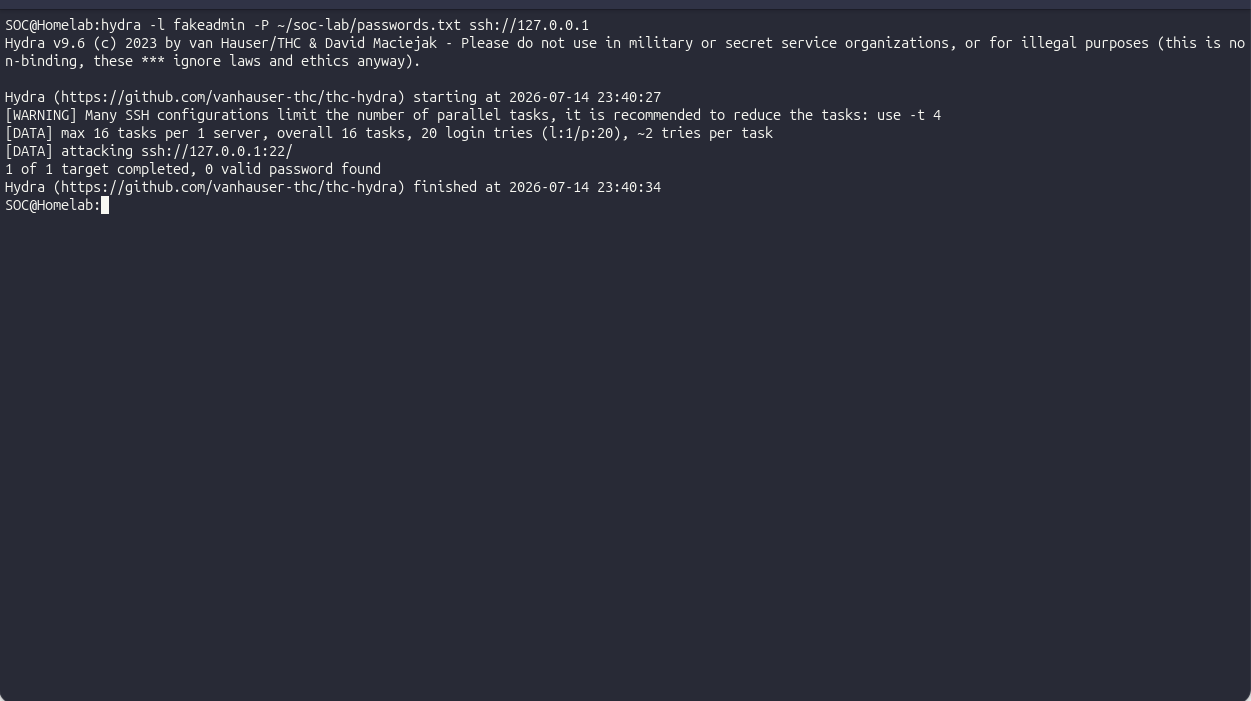
I’d run hydra -l $USER, my own, real username. So of course Wazuh filed it as “a real account getting failed passwords,” not “someone poking at accounts that aren’t there.” To see 5712, I re-ran it with a made-up name:
hydra -l fakeadmin -P ~/soc-lab/passwords.txt ssh://127.0.0.1fakeadmin doesn’t exist, and 5712 fired.
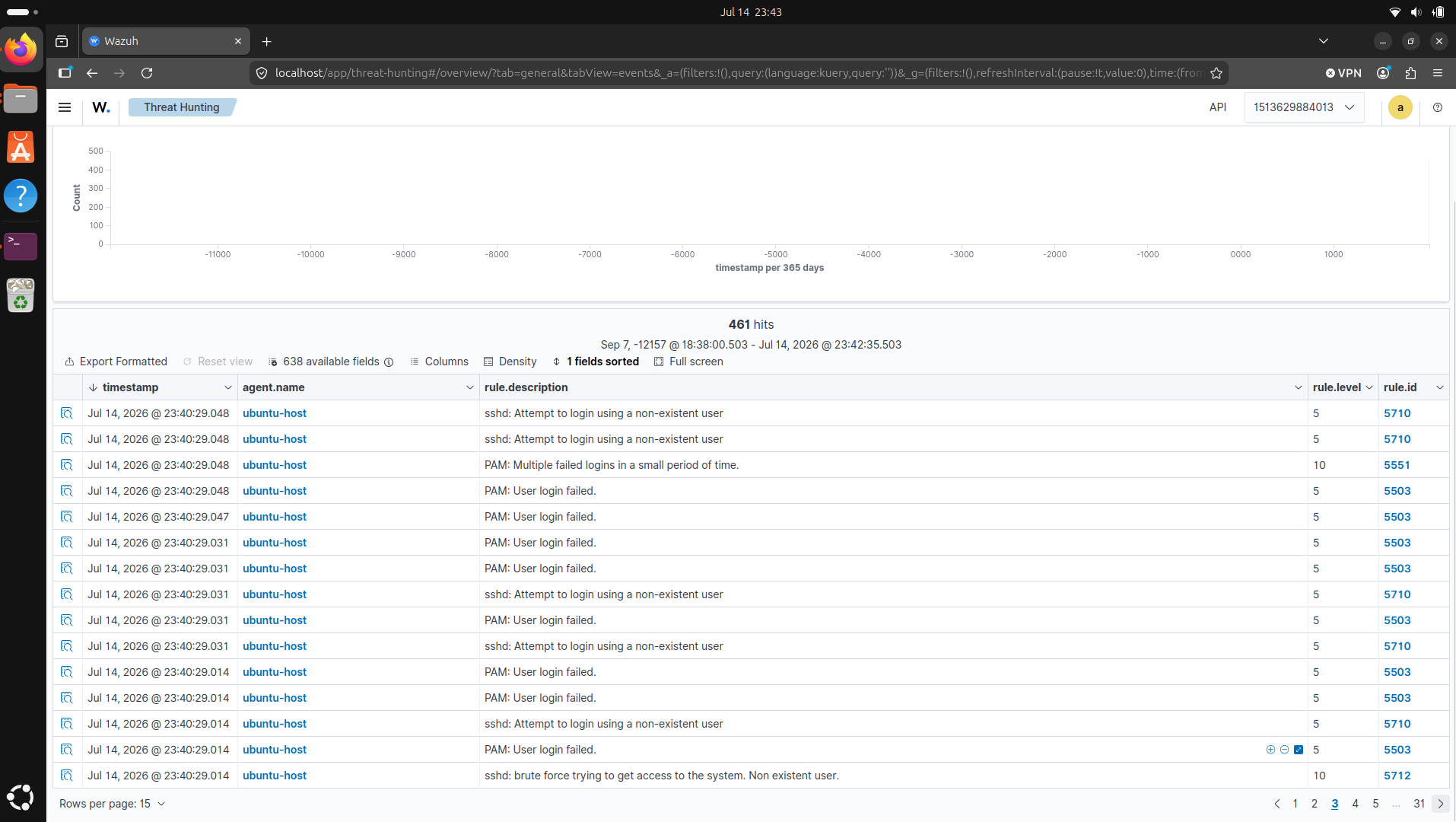
The rule chain underneath makes the fork explicit:
| Rule | Fires when |
|---|---|
| 5710 | A login attempt used a username that doesn’t exist (informational) |
| 5712 | Repeated attempts against non-existent usernames escalate to brute force |
| 5720 | Repeated auth failures for a valid user |
| 5763 | That valid-user failure pattern escalates to brute force |
Proving the logic
The alert in the dashboard is nice, but I wanted to see why it fired, not just that it did. Wazuh ships a tool called wazuh-logtest that takes a raw log line and shows you the exact decoder and rule that catch it:
docker exec -it single-node-wazuh.manager-1 /var/ossec/bin/wazuh-logtestI pasted in a raw failed-login line and it printed the decoder that pulled the fields out and the rule that matched, before I’d generated a single real event. That was the moment it stopped feeling like magic. I could watch a plain line of text turn into a classified alert.
What I took away
Two attacks that looked identical but were separated by a small step causing it to be two different events in Wazuh. Usually as an attacker, you would not know the usernames of the accounts on the system. I understand how important it is to differentiate the two as one could mean they do not have access or knowledge to usernames, the other means they do.
Limits
It could obviously catch noisy brute-force attempts like twenty tries in seconds. However, it wouldn’t even notice a patient attacker who tries a few passwords an hour for weeks, since that stays under the frequency threshold. This is probably why manual log reading is also important at times.
Every attack here ran against 127.0.0.1, my own lab host.